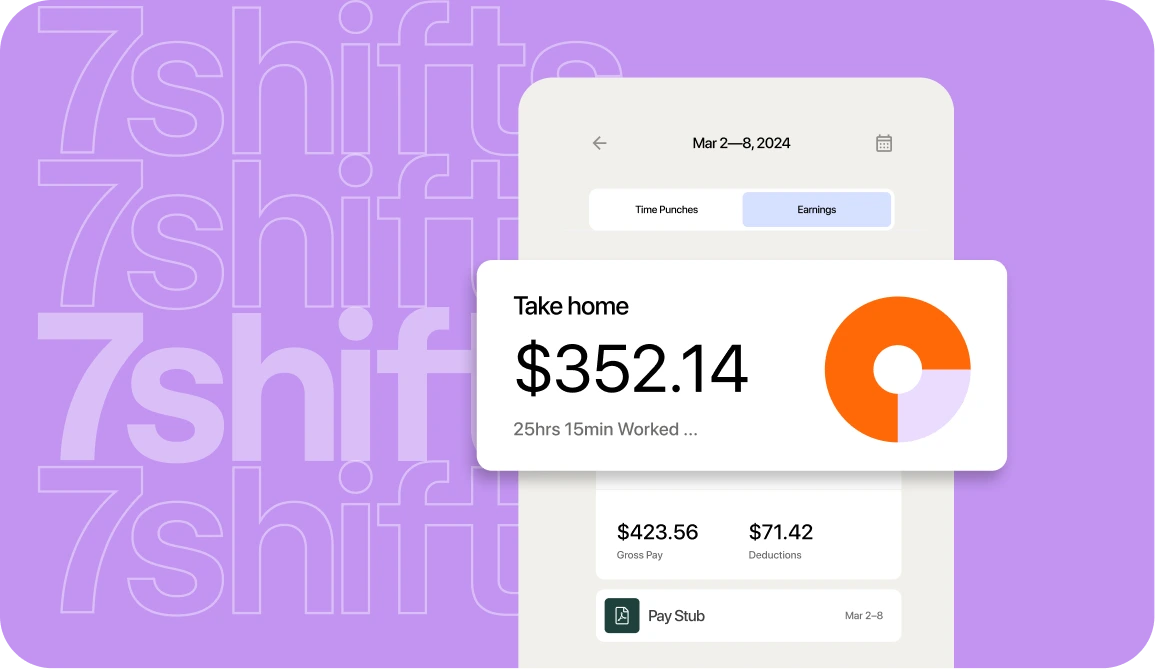
Running payroll for one restaurant is complicated enough. Running it for three, four, or five locations—each with different schedules, different staff, and sometimes different tax jurisdictions—turns complicated into chaotic. That’s why generic payroll software falls short for multi-location operators.
7shifts was built specifically for restaurants, connecting scheduling, time tracking, tip management, and payroll in one platform. Below, we’ll break down what makes it the top choice for restaurant groups managing payroll across multiple locations and entities.
Why multi-location restaurants need payroll software built for them
Running payroll across two, three, or five locations isn’t just a bit more work. Each location has its own schedule, its own staff, and often its own tax requirements. Without the right tools for multi-location management, you’re logging into multiple systems, reconciling spreadsheets, and chasing down managers at each site for timecards.
Here’s what makes multi-location payroll complicated:
- Tipped wage calculations across jurisdictions: Minimum wage, tip credit rules, and tip pooling laws vary by state—and sometimes by city. A restaurant group operating in multiple states can’t apply the same payroll rules across every location. Each one needs to be configured correctly, or you’re exposed to wage violations.
- Hours that don’t flow automatically into payroll: When scheduling and payroll live in separate systems, someone has to manually transfer hours worked. That’s where miscalculations happen—wrong overtime, missed rate changes, pay that doesn’t match what employees actually earned.
- No single view of labor costs: When each location runs payroll separately, you can’t see what you’re spending across the business until after the fact. Overtime creep, overstaffing, and budget overruns don’t show up until the damage is done.
- Employee records spread across systems: Staff who work across locations, pick up shifts, or hold multiple roles complicate payroll quickly. If their hours, rates, and tax information aren’t centralized, errors compound—and so does the time spent fixing them.
Generic payroll software wasn’t designed for restaurants. It assumes salaried employees, standard hours, and a single tax jurisdiction. Restaurants deal with tipped wages, variable scheduling, multiple pay rates, and labor laws that change by the mile. That gap is where payroll mistakes happen.
Payroll Implementation Checklist
Use this handy checklist so you don’t miss a thing.
What makes 7shifts the best payroll solution for multi-location restaurants
The difference between 7shifts’ restaurant payroll software and generic payroll software comes down to one thing: understanding how restaurants actually operate.
Centralized dashboard for every location
You can manage all your locations from one login. No switching between systems. No separate spreadsheets for each restaurant.
From a single dashboard, you can view schedules, timecards, and payroll data for every location. Your managers at individual sites still have access to what they need, but they don’t see everything across the organization unless you want them to. On payroll day, instead of pulling reports from three different places and piecing them together, everything’s already in one spot.
Real-time overtime alerts across all locations
Overtime pay sneaks up on multi-location operators in a way it doesn’t for single-site restaurants. An employee picks up a shift at your downtown location on Monday, then covers for someone at your suburban spot on Thursday. Neither manager realizes that employee is now at 45 hours for the week.
7shifts flags approaching overtime before it happens, across all locations where that employee works. You see the alert before you approve the schedule, not after you’ve already paid time-and-a-half.

Built-in compliance for multiple jurisdictions
Different states have different payroll tax requirements. Some cities add their own rules on top of that. Overtime calculations vary. Break requirements vary.
7shifts handles location-based tax calculations so you don’t have to track this manually. The system applies the right rules to the right location. That said, requirements vary by location, so check your state and local regulations for specifics, and consult a tax professional for complex situations.
Unlimited payroll runs at no extra cost
Many payroll providers charge per payroll run. That adds up fast when you have high turnover, multiple pay periods, or corrections to make. 7shifts includes unlimited payroll runs. Run payroll weekly, biweekly, or whenever you need to without worrying about extra fees.
Employee self-service access
Your staff can view their own pay stubs, tax documents, and payment history through the 7shifts app. They don’t have to call you or track down a manager to get a copy of their W-2. This reduces the back-and-forth that eats into your day, especially during tax season when everyone suddenly needs their documents at once.
Also read: How 7shifts Payroll supports these multi-location Jamba Juice operators:
Michele Bryant, Director of Operations: “Payroll is the simplest version we have found—which has many automatic integrations, instead of manual or uploads—saving at least 1 to 2 hours.”
How 7shifts handles multi-EIN and multi-entity payroll
Restaurant groups often operate under multiple legal entities. You might have separate EINs for different brands, different concepts, or different ownership structures.
An EIN, or Employer Identification Number, is the tax ID number assigned to each business entity. Managing payroll across multiple EINs manually means separate accounts, separate logins, and separate headaches.
One login for multiple legal entities
You don’t need separate accounts for each EIN. Toggle between entities without logging out. View payroll for your taco concept, then switch to your burger brand, all from the same dashboard.
Automated tax filings by location
Each location’s taxes are calculated and filed based on that location’s jurisdiction. You don’t have to track different deadlines and requirements manually. For specific situations, especially if you’re operating across multiple states, consult a tax professional.
Unified reporting across all entities
Pull reports that span all your locations and entities for a complete picture of your labor costs. See hours worked and payroll totals across your entire operation, then drill down to individual locations when you need the details.
Payroll software with tip management features for restaurants
Tip distribution is one of the most time-consuming parts of restaurant payroll. For full-service restaurants with complex tip pools, it can take hours every pay period. And mistakes cause staff disputes.
Automated tip pool calculations
Tip pooling is a system where tips are collected and redistributed among staff based on predefined rules. Servers might share 5% with runners, who share 2% with the kitchen. The math gets complicated fast.
Doing this by hand means calculators, spreadsheets, and the constant risk of errors. One mistake and you’re dealing with an unhappy server who’s convinced they got shorted. 7shifts applies your tip pool formulas automatically each pay period. The math is consistent, and your staff can see exactly how their tips were calculated.

POS integration for accurate tip data
Re-keying tip amounts from POS reports into payroll creates errors. A transposed number here, a missed entry there. It adds up. 7shifts pulls tip data directly from integrated POS systems. The tips your servers earned flow straight into payroll without manual entry.
Tip reporting for compliance
Tip income has to be reported for tax purposes. 7shifts tracks and reports tips as part of payroll, reducing the manual recordkeeping you’d otherwise have to do. Check IRS and state requirements for tip reporting rules specific to your situation.
2026 Tipping Playbook
Learn how to manage, distribute, and track tips fairly—while staying compliant and keeping your team’s trust.
How 7shifts connects scheduling and payroll in one platform
Most payroll providers don’t do scheduling. Most scheduling tools don’t do payroll. That means you’re building schedules in one system, tracking time in another, and manually entering hours into a third.
7shifts connects all three. Here’s how the data flows:
- Schedule created: Manager builds the schedule in 7shifts.
- Employee clocks in/out: Time punches are recorded automatically.
- Hours flow to payroll: Actual hours worked populate payroll without manual entry.
- Payroll runs: Pay is calculated based on accurate, real-time data.
No reconciliation. No re-entry. No wondering why the hours in payroll don’t match the hours on the schedule.
How much does 7shifts payroll cost
Pricing matters, especially when you’re watching costs across multiple locations.
7shifts Payroll is $39.99 per month per location, plus $6 per employee paid. It works with any paid 7shifts plan and includes free implementation and employee onboarding. Book a demo to see it in action.
Not on 7shifts yet? Start with a 14-day free trial of the Pro plan—no credit card required. See all plan options on our pricing page.
How 7shifts compares to other restaurant payroll software
Here’s how 7shifts stacks up against generic payroll software for multi-location restaurant operators:
| Feature | 7shifts | Generic Payroll Software |
|---|---|---|
| Built specifically for restaurants | Yes | No |
| Scheduling + payroll in one platform | Yes | Typically separate tools |
| Multi-EIN support from single login | Yes | Varies |
| Automated tip pooling | Yes | Rarely included |
| Real-time overtime alerts across locations | Yes | Limited |
| Unlimited payroll runs | Yes | Often charged per run |
The right choice depends on your specific needs. 7shifts was purpose-built for restaurants, not adapted from generic HR software.
Run payroll for all your locations without the headaches
One platform for scheduling, time tracking, and payroll across all your locations. That’s what 7shifts delivers.
You don’t have time to manage multiple disconnected systems. You don’t have time to reconcile spreadsheets or chase down timecards from three different managers. Start a free trial to see how 7shifts can simplify payroll for your multi-location restaurant.
Related watch: 7 payroll mistakes restaurants make
FAQs about multi-location restaurant payroll software
How long does it take to set up 7shifts payroll for multiple restaurant locations?
Most multi-location operators complete setup within a few days to a couple of weeks, depending on how many locations and employees you have. But with 7shifts, you can onboard in just a few clicks, and we provide onboarding support to help you get started.
Can 7shifts payroll handle restaurant locations in different states with different labor laws?
Yes, 7shifts calculates taxes and applies payroll rules based on each location’s state and local requirements. But always verify specific compliance needs with a local professional.
What POS systems does 7shifts payroll integrate with for tip data?
7shifts integrates with many popular restaurant POS systems to pull tip data directly into payroll. Check the 7shifts integrations page for the current list of supported systems.
What is the difference between 7shifts and Homebase for multi-location restaurants?
7shifts is built exclusively for restaurants with features like tip pooling and multi-EIN support. Homebase serves multiple industries. For multi-location restaurant operators, 7shifts offers deeper restaurant-specific functionality.
Can restaurant owners add new locations to 7shifts without disrupting existing payroll?
Yes, you can add new locations to your 7shifts account as you grow without interrupting payroll at your existing restaurants. Each location is managed within the same dashboard.

Rebecca Hebert, Sales Development Representative
Rebecca Hebert
Sales Development Representative
Rebecca Hebert is a former restaurant industry professional with nearly 20 years of hands-on experience leading teams in fast-paced hospitality environments. Rebecca brings that firsthand knowledge to the tech side of the industry, helping restaurants streamline their operations with purpose-built workforce management solutions. As an active contributor to expansion efforts, she’s passionate about empowering restaurateurs with tools that genuinely support their day-to-day operations.