Google remains the top platform to search for local businesses and services. 62% of consumers use the search engine to find restaurants, while 51% cite it as the best tool to get more information on a dining establishment, so you should maximize your online presence.
However, SEO is no longer enough due to high competition in the food industry. It takes longer to show results, and you can be overshadowed by competitors who have more resources for organic search.
That’s why you should leverage Google Ads to showcase your restaurant and menu. With the right strategies, you can easily attract diners searching for restaurants like yours in your local area and get more reservations and takeout orders.
New Restaurant Toolkit
Everything you need to know before your grand opening.
Why restaurants should still use Google Ads in 2026
While organic traffic is important, relying on it alone can take time and might not always give you the results you need right away. That’s where Google Ads comes in.
Google Ads can help restaurants reach hungry customers who are ready to spend. When someone types “best dining spots near me” into Google, they’re looking for a place to eat right now. If your restaurant’s ad appears in those search results, you have a high chance of bringing in new customers.
In fact, the restaurant and food industry has an average conversion rate of 8.72% in 2024, falling in the higher part of the spectrum between 2.53% (furniture) and nearly 13% (automotive repair). The conversion rate measures the percentage of customers who see the ad and click through to the website.
Include Google Ads in your restaurant marketing plan to reach more potential customers. One of the best things about the tool is that you get to set a daily or monthly budget. This way, you can start small and scale up your ad spend as you see results.
The ability to set a budget and only pay when someone clicks or views your ad also makes Google Ads more accessible for smaller restaurant businesses with limited marketing budgets.
What’s a good Google Ad CTR for restaurants?
To know if your ads are performing well, you should take a look at the click-through rate (CTR). The average CTR for restaurants and food establishments is 8.68%, with search ads being the channel that gets the most clicks (15.56%).
Calculate your CTR by calculating the number of clicks your ad received divided by the number of times it was shown.
A good CTR, whether for fast food chains, full service restaurants, cafes, or food trucks, is around 8% or higher. Of course, a rate of around 7% wouldn’t be bad, just make sure you don’t fall below 6%, which is the low average.
- If your CTR is low: Tighten keywords, add negatives, and rewrite your headline to match what people are searching.
- If your CPC is high: Target more specific keywords (like “gluten-free Italian food”), and narrow your location targeting.
- If your conversion rate is low: Make the next step obvious (order, reserve, call), and remove friction on mobile.
- If all three are off: Split campaigns by service (dine-in vs. takeout vs. catering) so each ad matches the intent.
How much should restaurants pay for Google Ads?
Costs are a big factor when it comes to Google Ads for restaurants. To get an idea of how much you should set your budget, the average cost-per-click (CPC) for search ads in the food and beverage industry is around $1.95.
So, let’s say you get 100 clicks on your ads in a day, then you’ll be charged around $195.
Still, the amount you pay for paid campaigns will depend on factors like the type of ad you’re using and how competitive your area is.
However, it’s important to note that your actual costs will depend on factors like ad competition, keyword bids, and quality score. So the budget you set is more of a target than a guaranteed maximum.
We recommend starting with a budget of $1,000 per month, and then adjusting your spend as you see what’s working best for your restaurant. Monitor your campaign’s performance and recalibrate every month to make sure you’re getting the most value out of your Google Ads investment.
8 proven Google Ads strategies for restaurants
These Google Ads strategies can help you attract more hungry customers and increase your restaurant’s visibility.
Use geotargeting to focus on your local area
Geotargeting is a powerful strategy for restaurants looking to attract diners in their area. In fact, 88% of local searches result in a phone call or visit to a physical store within the following 24 hours.
Instead of showing your ads to everyone, you should focus on people in your restaurant’s city or town. By doing so, you make sure your marketing dollars are spent on those most likely to visit your restaurant.
For example, if your restaurant is located in downtown LA, you can set your Google Ads to show only to people within a 5-mile radius. This way, when someone searches for “best dining spots near me,” your restaurant’s ad appears in the search results, increasing the chances they’ll choose your restaurant.
To get started with geotargeting, log into your Google Ads account and select the campaign you want to edit. Then, go to the “Locations” tab and choose the area where you want your ads to appear. You can enter specific zip codes and cities, or even set a radius around your restaurant.
It also helps to optimize your Google Business profile, which drives 7x more views than your website. Make sure you have your restaurant’s name, address, hours, and menu details accurately listed. This will help your business show up in relevant local searches and provide potential customers with the information they need to choose your establishment.
Choose the right ad keywords for better search results
Be diligent with keyword research. For your ad to show up in the right searches, you need to select keywords that match what potential customers are searching for.
Start by thinking about the most popular dishes or services your restaurant offers. For example, if you’re known for your pizza, using keywords like “best pizza in [your city]” or “family pizza restaurant” can help bring in more customers.
Next, use Google’s Keyword Planner, a free tool within Google Ads, to find out which keywords are most effective. It shows you how often certain words are searched and how much competition there is for those keywords.
High-competition keywords, like “fine dining,” might be more expensive, but they can also bring in a lot of traffic if your restaurant is well-known for upscale meals. On the other hand, targeting less competitive but specific keywords, like “gluten-free Italian food,” can help you reach a niche market.
Keyword Planner also suggests related keywords that you might not have thought of, helping you expand your reach.
Keyword match types and negative keywords
Match types control how closely a search has to match your keyword before your ad can show.
- Broad match: Widest reach, but it can pull in unrelated searches.
- Phrase match: Shows for searches that include the meaning of your keyword.
- Exact match: Shows for searches closest to your exact term.
Use negative keywords to block searches you don’t want to pay for.
- Jobs: “server jobs,” “dishwasher jobs”
- Free: “free catering,” “free food”
- Recipes/how-to: “pizza dough recipe,” “how to make ramen”
- Wholesale/supplier: “bulk mozzarella,” “restaurant suppliers”
- Equipment: “commercial oven,” “restaurant chairs”
Schedule Google ads to reach diners when they’re hungry
Timing is everything when it comes to running successful Google Ads for your restaurant. By scheduling your ads to show up during peak dining hours, you can reach customers when they’re most likely to be searching for a place to eat.
Our content manager, Vahag Aydinyan, emphasizes this restaurant digital marketing idea: “Someone who wants to quickly find something for lunch will be searching between 11:00 am to 12:30 pm, so you can aggressively spend your budget between those times.”
First, analyze your restaurant’s busiest times of the day. For example, if your restaurant is packed from 12 PM to 2 PM and from 6 PM to 8 PM, you should schedule your Google Ads to appear just before these times. This way, your restaurant’s ad will be at the top of the search results just when people are hungry.
Another strategy is to consider the work hours of offices in your neighborhood. You can schedule your ads to run an hour before the typical lunch hour and then again before the typical dinner hour to capture those office workers looking for a convenient meal.
Google Ads has a scheduler option with a maximum of 6 ad schedules per day for each campaign. If you have restaurants in different locations, take note of the time zones to make sure your ad reaches your target audience at the right time.
Maximize your marketing with Google ads extensions
Google Ads extensions can make your restaurant’s ads more effective by providing additional information, giving potential customers more reasons to click. These extensions allow you to add extra details to your ads, such as your restaurant’s phone number, address, or even a link to your menu.
For example, using a call extension adds a clickable phone number to your ad, making it easy for customers to call and make a reservation. Meanwhile, a location extension shows your business address and a map link directly in the ad.
There’s also the sitelink extension, which allows you to link directly to specific pages on your website, such as your online menu.
You can find these tools under the “Ads & Extensions” tab. Experiment with different keyword and extension combinations and see which ones perform the best for your restaurant. Make sure to consider search intent so that you can provide the most relevant information to potential customers.
Retarget past customers or those who’ve shown interest
Get the most from your Google Ads investments through retargeting. This strategy involves showing your ads again to people who landed on your website but didn’t make a reservation or place an order.
By targeting people who have already interacted with your site or ads, you can increase the chances of converting these warm leads into paying customers.
As a matter of fact, marketers have reported a 4x increase in ad engagement after retargeting. Plus, retargeted users are 8x cheaper to reach per click, so it’s a cost-effective way to bring back potential customers.
Let’s say someone opened the menu on your website but didn’t place an order. You can retarget them with an ad that features a special offer or highlights a popular dish. It keeps your restaurant top-of-mind and encourages them to come back and complete their order.
To do this, you must set up a remarketing list in your Google Ads account. Go to the “Audiences” section under the “Tools & Settings” menu and create a new audience by selecting “Website visitors.” It should show you people who’ve visited your website but didn’t convert.
Next, create a new ad campaign targeting this audience. Get creative with the ad copy and visuals to entice them to come back.
Set up conversion tracking (so you know what you’re paying for)
Clicks are nice, but conversions are what pay the bills. Track the actions that matter most for your restaurant.
- Online orders: Track an order completed event on your ordering confirmation page.
- Reservations: Track completed bookings (or clicks to your reservation partner, if that’s your setup).
- Phone calls: Turn on call reporting, and count calls that last long enough to be real leads.
- Local actions: If you run location assets, track direction requests and other local actions.
- Keep reporting consistent: Connect Google Ads to Google Analytics 4, then import the conversions you care about back into Google Ads.
Tailor your ads for different restaurant services and events
Rather than running a generic ad for your restaurant, you’re better off creating different ones that focus on different aspects of your business, like catering services, private dining events, or special promotions. Targeted ads have 3x higher CTR than non-targeted ads and are more effective overall by 46%.
For example, if your restaurant offers catering for corporate events, you can create a Google ad specifically promoting this service, using keywords like “corporate catering near me” or “event catering [your city].” Doing so ensures that your ad appears in search results when potential customers are looking for exactly what you offer.
Identify the key services and events that set your restaurant apart. These might include brunch specials, holiday events, happy hours, or private dining options. Once you have a list, create individual Google Ads campaigns for each service or event.
Let’s say you’re planning to host a Valentine’s Day dinner. You can create a dedicated ad with keywords like “Valentine’s Day dinner reservations” and target your city. Include details in your ad copy that will attract attention, such as “Celebrate love with our specially curated Valentine’s Day dining experience.”
By creating targeted ads, you can better catch the eyes of potential diners who are actively searching for what your restaurant offers. This level of personalization can lead to more clicks, conversions, and a better return on your Google Ads investment.
Put effort into your ad copy
Your ad copy is the first thing people see, and it needs to grab their attention quickly. People usually scan online text rather than read word-for-word, so your ad copy should be concise, compelling, and highlight what makes your restaurant unique.
If your restaurant is known for its farm-to-table dining experience, highlight that in your ad. Use phrases like “Fresh, locally sourced ingredients” or “Experience the best farm-to-table dining in [your city].” This helps set your restaurant apart from the competition and makes your ad more appealing to potential customers.
Next, include a clear and strong call to action (CTA) in your ad copy. A good CTA tells customers exactly what you want them to do, such as “Reserve your table today” or “Order online now for quick delivery.”
Take note that personalized CTAs convert 202% better than generic CTAs. Personalized CTAs for Google Ads involve using the user’s location or other contextual information to create a more tailored call to action.
For example, if someone is searching for “Italian restaurant near me,” your CTA could be “Order your favorite Italian dishes for delivery in [user’s city].” Doing so makes the CTA more relevant and compelling for the user.
Do A/B testing with different CTAs to see which ones resonate best with your target audience. Your ad copy should strike a balance between being informative and persuasive to drive the most clicks and conversions.
Landing page basics (quick checklist)
Your ad can do its job and still lose the sale if the page is slow or confusing. Do a quick pass on these before you spend more.
- Fast on mobile: Your menu and ordering pages should load quickly on a phone.
- One clear next step: Reserve, order, or call—don’t make guests hunt.
- Menu and pricing are easy to find: Put your top items front and center.
- Hours, address, and parking info are accurate: Especially for holiday weeks.
- Trust signals: Add photos, reviews, and any key badges (like “gluten-free options”).
- Tracking works: Test your reservation, order, and call buttons to make sure conversions fire.
Use mouth-watering imagery
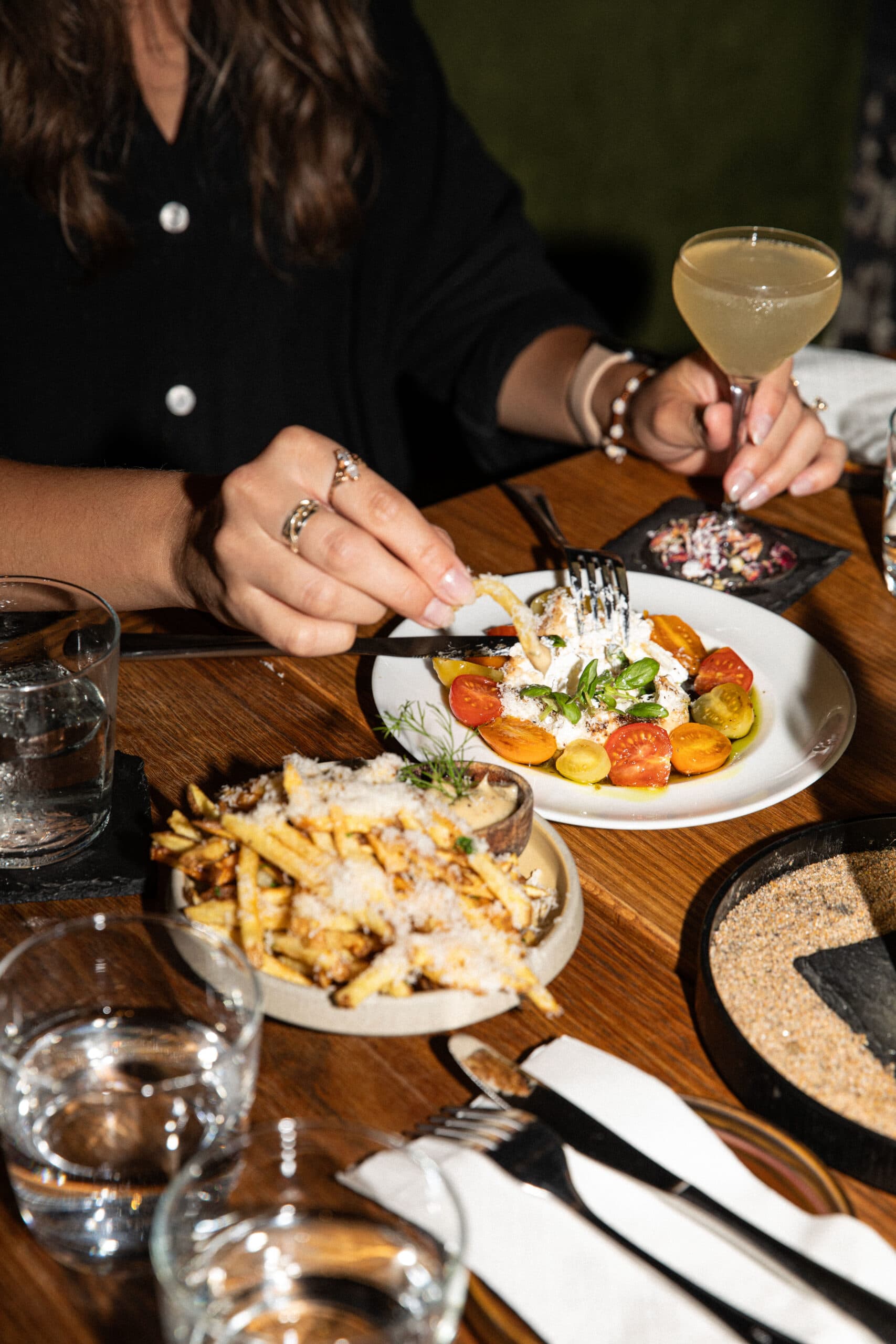
Aside from your ad copy, the photos you use also play a crucial role in attracting potential customers.
A perfectly styled photo of a juicy burger or a vibrant salad can do more for your ad’s performance than any amount of text. In fact, ads with relevant images get 94% more views than those without.
Consider hiring a professional food photographer to capture the essence of your restaurant.
Alternatively, you can take your own photos, but be mindful of lighting, angles, and other restaurant food photography tips and tricks to make the food look as appetizing as possible. Avoid generic stock photos at all costs.
Update the images in your ads regularly to keep them fresh and relevant. Seasonal dishes, special promotions, or new menu items are great opportunities to refresh your Google Ads imagery.
For example, if your restaurant is launching a new summer menu, update your ads with bright, seasonal dishes that reflect the flavors of the season. With high-quality, mouthwatering imagery, you can instantly capture the attention of potential diners and entice them to visit your restaurant.
Google Ads for Restaurants: FAQs
How much should a small restaurant spend on Google Ads to start?
Start with a budget you can run consistently for at least 30 days, then adjust based on results. The goal early on is to learn what keywords and offers actually drive calls, reservations, and orders.
- Pick one service to promote first (like takeout or reservations).
- Start with a daily cap you’re comfortable with.
- Run ads in your strongest hours, not all day.
- Track at least one conversion (call, order, or booking).
What’s the difference between Google Search Ads and Local/Search Map ads for restaurants?
Search Ads show as text ads in the main search results. Local (Map) ads show around Google Maps and local listings, where guests often click for directions, calls, and hours.
- Use Search Ads when you want to target specific menu and intent keywords.
- Use local placements when you want nearby guests to find you fast.
- Make sure your address, hours, and menu link are accurate.
- Track calls and direction requests where possible.
What keywords should restaurants avoid (negative keywords) to stop wasting budget?
Negative keywords block searches that aren’t likely to turn into paying guests. This is one of the fastest ways to cut wasted spend, especially in the first week of a new campaign.
- Job searches (jobs, hiring, careers).
- Free and DIY intent (free, recipe, how to).
- Suppliers and equipment (wholesale, supplier, commercial oven).
- Anything you don’t offer (delivery if you’re dine-in only).
Do Google Ads work if I don’t have online ordering or a reservation system?
Yes, but you need a clear next step. If you can’t take online orders or bookings, focus on calls, directions, and a simple “how to order” flow on your site.
- Use call extensions so guests can tap to call.
- Send clicks to a page with your menu, hours, and phone number.
- Make sure the page is easy to use on mobile.
- Track calls so you know what’s working.
How long does it take to see results from Google Ads for a restaurant?
You can often see clicks and calls quickly, but it usually takes a few weeks to understand what’s profitable. Give yourself time to test keywords, ads, and landing pages before making big budget changes.
- Week one: Look for obvious waste (bad keywords, wrong locations).
- Weeks two to four: Compare CTR, CPC, and conversion rate by campaign.
- After 30 days: Shift budget toward what’s driving real guests.
- Keep testing one change at a time.
Stand out in a crowded market with Google Ads
If you’re struggling to increase reservations or online orders, you should be looking into Google Ads for your restaurant. The search engine provides a powerful platform to reach your target audience.
Create targeted campaigns, compelling ad copy, and mouthwatering imagery to make your restaurant stand out from competitors. Don’t be afraid to test your ads to make sure you get the most return for your investment.
As you start marketing your restaurant through Google Ads, give yourself more time to focus on the task by using 7shifts. Spend less time on tedious management tasks with our easy scheduling, time tracking, and team communication tool.

Rebecca Hebert, Sales Development Representative
Rebecca Hebert
Sales Development Representative
Rebecca Hebert is a former restaurant industry professional with nearly 20 years of hands-on experience leading teams in fast-paced hospitality environments. Rebecca brings that firsthand knowledge to the tech side of the industry, helping restaurants streamline their operations with purpose-built workforce management solutions. As an active contributor to expansion efforts, she’s passionate about empowering restaurateurs with tools that genuinely support their day-to-day operations.