Free Restaurant Closing Checklist Template
Make sure that closing duties are completed every time with this free restaurant closing checklist
- Outline all closing duties that need to be completed
- Differentiate tasks between FOH and BOH or by department to boost accountability
- Completely customizable to your restaurant
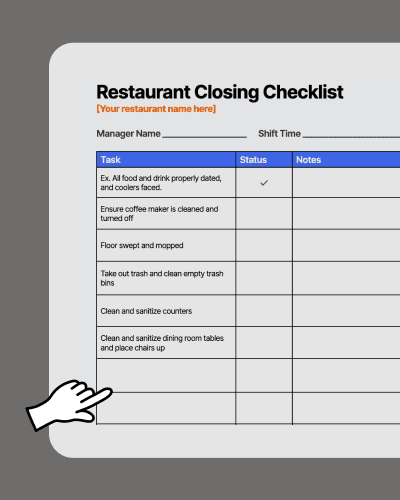

Restaurant Closing Checklist Template.doc
How to use your restaurant closing checklist template
Make sloppy closes a thing of the past with this editable and customizable closing checklist.

How to use your restaurant closing checklist template
A restaurant closing checklist should cover four main areas: front-of-house (FOH) duties, back-of-house (BOH) duties, manager responsibilities, and security tasks. The goal is simple: make sure the same key closing duties get done every night, no matter who’s on shift.
-
FOH closing duties: Wipe down tables and chairs, restock condiments, run end-of-day sales reports, and count the cash drawer.
-
BOH closing duties: Clean the grill and fryer, store food at safe temperatures, sanitize prep surfaces, and take out trash.
-
Manager responsibilities: Lock up, set the alarm, complete the manager log, and confirm all staff have clocked out.
-
Security tasks: Make sure doors are locked, cash is secured, and any final walk-through checks are completed.
Splitting tasks by role—rather than handing everyone the same generic list—is what separates a checklist that actually gets followed from one that gets ignored.

Manage your team beyond a paper checklist with 7shifts

Improve team accountability
You want to keep your team accountable for cleaning tasks while still providing them with guidance on what needs to be done. You get that and more with 7shifts. Ditch the paper checklists and whiteboards, and get a continually updated digital restaurant task management system that managers and staff both love.

Up engagement
Increasing communication and expectations can make a huge difference in the lives of your staff. Knowing who is responsible for what tasks, and when they have done them right, means the team can function better together.

Don’t hope it gets done…
Know when it gets done. With 7shifts you receive real-time notifications whenever a cleaning checklist task is completed, who completed it, and which checklist tasks are outstanding. With a complete report on who is completing which checklist tasks and when, you’ll be able to easily stay on top of team accountability.
Integrations to power the future of your restaurant
Connect the systems you trust to power your restaurant. 7shifts integrates with dozens of leading POS, payroll, and technologies to create future-proof restaurant schedules and simplify payroll.
How does 7shifts compare to this free template?
Server checklist Excel template versus a robust team management platform.
 | Restaurant Closing Checklist | |
| Create unique sever tasks |  |  |
| Customizable to your restaurant | | |
| Free | | |
| Automatically assign checklist based on shifts or roles | |  |
| Add instructions for checklists | | |
| Get notified of task or checklist completion | | |
| Customize or change checklists on-the-go | | |
| Create different checklists or days, weeks, or months | | |
| View checklist completion rates | | |
| Checklists are digital | | |
“It is SO easy to use. It is intimidating at first familiarizing yourself with the platform but after a few minutes it feels so natural using it. I used to do all of my scheduling on an excel spreadsheet. It would take two or three times as long as it takes me now on 7shifts.”
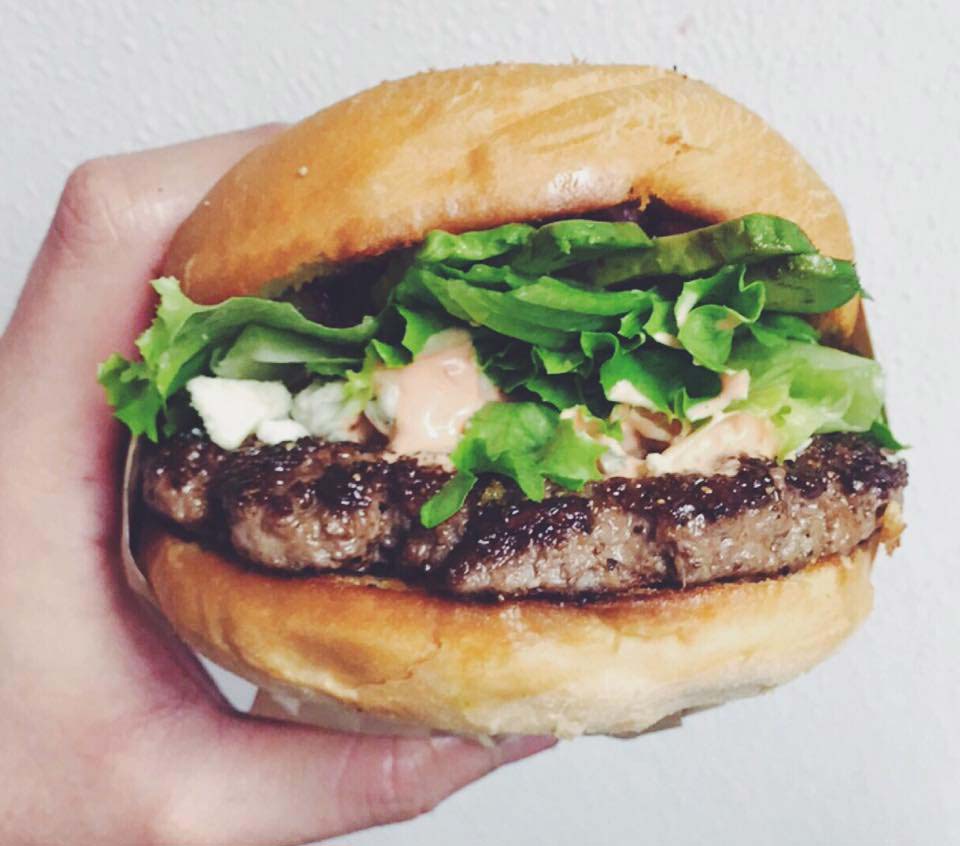
Eddie Cuellar
Restaurant owner, Tower Burger

“I was originally drawn to 7shifts because of their simple and easy interface for scheduling, but when I found out they also did payroll, it was a no-brainer. My employees onboarded via the 7shifts mobile app in 10 minutes and I'm already saving hours of time when it comes to processing payroll. Total game changer.”
Fahad Hanif
Owner/Operator, Halal Guys
“If you're a restaurant professional, this is a mandate. If this is a hobby for you, by all means, use something else. Use Excel, use post-it notes if you write it down. But if you're a professional and this is your career and your actual goal is to earn profit for your business, then there's no viable solution or anything that would make sense other than this. There just isn't.”
Mike Bausch
Owner, Andolini's

Find out why 1.5 million restaurant professionals love 7shifts

Frequently asked questions on restaurant closing checklists
Yes — the closing checklist template is completely free to download, no credit card required. It’s a fully editable file you can customize with your restaurant’s name, departments, and specific closing duties. You can add or remove tasks to match your operation and distribute it to your team right away.
Absolutely. The template is designed to be edited, so you can create separate sections for FOH roles (servers, hosts, bartenders) and BOH roles (line cooks, dishwashers, prep staff). Just duplicate the relevant sections, label them by role or department, and list the specific tasks each person is responsible for. If you want to go further and automatically assign checklists based on who’s scheduled for a shift, 7shifts’ task management feature does that for you digitally.
The free template gives you a solid starting point — a customizable document you can print or share with your team. But it’s static: you can’t track whether tasks were actually completed, who did them, or when. With 7shifts, you get real-time notifications when tasks are checked off, completion rate reports, and the ability to update checklists on the fly from your phone. For operators running one location, the template may be enough to get started. For anyone managing multiple locations or a larger team, a digital system pays for itself quickly in time saved and fewer missed tasks.
Review your closing checklist at least once a season, or any time your menu, staffing structure, or equipment changes. For example, if you add a new piece of kitchen equipment, the cleaning procedure for it should go on the BOH checklist immediately — not weeks later when something gets missed. A good rule of thumb: if your managers are verbally reminding staff to do the same task more than twice a week, that task needs to be added to the checklist.
7shifts’ task management feature works for any type of checklist — opening, closing, mid-shift, weekly deep cleans, or anything else your operation needs. You can create different checklists for different days, shifts, or roles, and assign them to the right people automatically based on who’s scheduled. That means your opening manager sees their tasks, your closing crew sees theirs, and nothing gets mixed up or missed.
Free Restaurant Management Templates
See all templates

Restaurant Cleaning Template
Get the cleaning checklist to help you and your staff stay accountable and ensure cleaning duties are completed properly.
Download now
Server Duties Template
Get the server checklist template to help you and your servers stay productive, accountable, and well trained.
Download now
Staff Availability Template
Get the employee availability template to schedule your staff, and identify vacation and time-off requests.
Download now

Restaurant Schedule Template
Download the best restaurant excel-file schedule template to help create your staff work schedules.
Download now