Coffee shops win or lose the morning rush. SpotOn already knows every latte you sold at 7:15 a.m. But your schedule, tips, and payroll often can’t see any of it.
Why 7shifts is the best HR software for coffee franchises on SpotOn
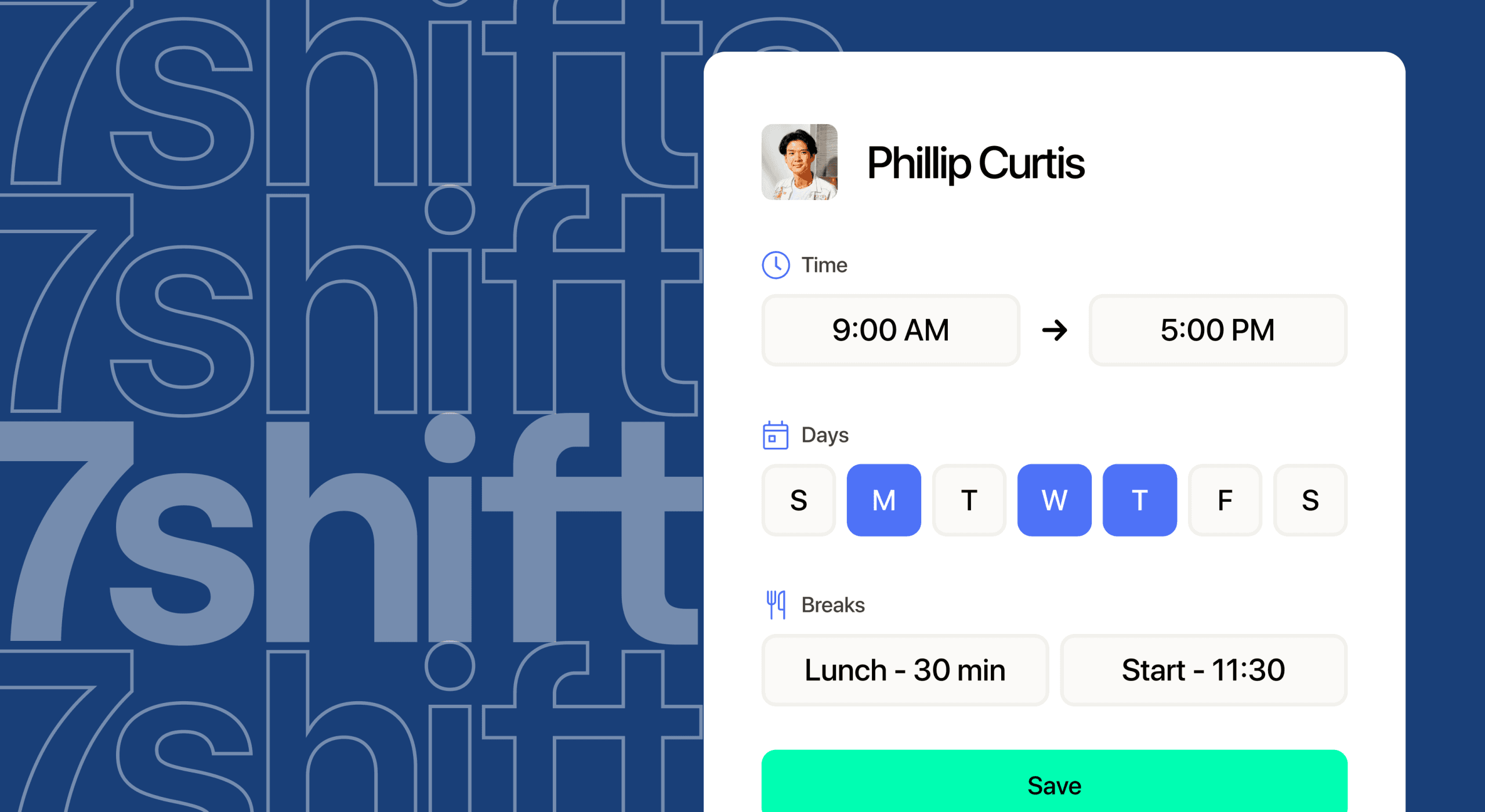
We believe 7shifts is the best HR software for coffee franchises using SpotOn because it’s the restaurant HR platform that connects directly to SpotOn point of sale (POS). It pulls Net sales in real time, plus punches, labor costs, and card and cash tips. It also keeps employee records and wages in sync at every location.
Here’s what that connection means for a café owner running SpotOn in more than one store:
- Rush-ready forecasts: SpotOn sales history feeds 7shifts forecasts, so you can staff the morning peak with the right number of baristas.
- Tips in one place: Card and cash tips recorded in SpotOn come into 7shifts for tip calculations, reports, and payroll exports.
- Payroll-ready hours: Punches, labor costs, and SpotOn wage rates land in 7shifts before you close the pay period.
- One view across stores: Each location’s sales, labor, and tips sit side by side, so you can spot problems early.
7shifts knows franchise life from the inside. Founder Jordan Boesch built an early scheduling tool to fix the pen-and-paper chaos at his father’s Quiznos franchises. He launched 7shifts in 2014, and today the restaurant HR platform serves 55,000 restaurants.
SpotOn lists 7shifts on its own SpotOn integrations page, with this line: “Easily manage your team’s schedules, timesheets, communication, tasks, and tips all in one place.” You can see how the connection works on the 7shifts SpotOn RPOS integration page.
Julianne Lee, senior product manager at 7shifts, explains why the POS matters so much: “Point of sale is the thing that’s running the restaurant, especially on the floor. It’s the source of truth for what sales happen and when, when someone is clocking in and out, and the tips made during that time.”
What coffee franchises need from an HR platform
A coffee shop runs on small tickets and a big morning peak. Shifts are short, doors open early, and tips land in both card readers and tip jars. Add barista turnover and franchisor rules, and every scheduling mistake costs you fast.
Away-from-home coffee is a big part of the morning rush. The June 2026 National Coffee Association survey found that “out-of-home consumption among past-day coffee drinkers reached 38% in the survey—the highest level since January 2020.”
More cups out the door means more pressure on labor. National Restaurant Association labor data shows that “Salaries and wages (including benefits) represented a median of 31.7% of sales among limited-service survey respondents.” That median is from 2024 data and covers all limited-service restaurants, so it isn’t coffee-specific.
Still, it’s a useful benchmark for your restaurant labor cost percentage. The hard part is seeing your own number in time.
Lee puts it plainly: “Without a connected point of sale, you won’t find your labor cost until much later. It could take multiple weeks before you realize, ‘Oh my gosh, I added too many people during a week when it was really slow on sales.’”
Good coffee shop scheduling software should cover four basics:
- Rush coverage: Forecasts built from real sales, so the morning peak has enough hands on bar.
- Tip fairness: One place to calculate card and cash tips with clear rules your baristas can trust.
- Fast onboarding: Quick setup for new hires, since baristas come and go.
- Cross-store visibility: Sales and labor for every location in one view.
7shifts is built for cafes and coffee shops, and the platform covers these needs, while SpotOn connection supplies the data. Here’s how the data moves.
What syncs between SpotOn and 7shifts
The SpotOn connection brings five kinds of data into 7shifts. Each one solves a different problem for a coffee shop.
| Data | What 7shifts does with it | Why it matters for coffee |
|---|---|---|
| Net sales | Brings in sales in real time and imports up to 90 days of history for forecasts | Shows how big your morning rush really is |
| Actual Labor (punches and labor costs) | Compares sales vs. labor on the Dashboard | Shows when labor runs ahead of sales |
| Tips (credit card and cash) | Feeds your tip calculation settings, reports, and payroll exports | Keeps card and tip-jar money in one place |
| Employee Sync | Creates profiles with name, Punch ID, email, inactive status, and location, department, and role assignments | Gets new baristas set up faster |
| Wage Sync | Matches 7shifts wages to SpotOn rates | Keeps labor cost accurate |
Credit card (CC) tips and cash tips are the two tip sources SpotOn sends. Mapping your employees and roles comes before Employee Sync, Actual Labor, and Wage Sync, so plan for that step during setup.
Lee describes where 7shifts fits: “7shifts is in the middle of this relationship. The point of sale sends the information over to 7shifts, and we take that sales data and the labor information to look at who is working on what days and help optimize overall labor against the sales that are actually happening.”
2026 Labor Costs Playbook
Increase your bottom line with insights from over 500 restaurant pros—learn the true cost of employee turnover, the best way to manage labor costs, and proven strategies to protect profits.
Staff the morning rush with SpotOn sales data
Real-time sales are on by default once SpotOn is connected. 7shifts imports up to 90 days of sales history and uses AI to build forecasts from it. Projections show up after about one to two weeks.
There’s one setup detail to check. Your 7shifts location needs the same time zone and workday hours as SpotOn: 5:00 a.m. to 5:00 a.m. A café that opens at 5 a.m. fits that window.
7shifts projecsts your sales with 95% accuracy when you use its POS integration. In a testimonial on the 7shifts integrations page, Clay Geyer, COO at Black Rock Coffee Bar, describes the payoff: “7shifts has empowered our store managers to efficiently build schedules, adhere to labor targets, and anticipate feature sales weeks.”
Forecasts show up right in 7shifts’ restaurant scheduling software, so you build next week’s schedule with expected sales in view. Lee explains the link: “Point of sale really marries all that sales information and helps restaurants understand their future forecast and the number of people that need to work on the floor.”
Early opens bring a risk called clopening. A clopening is a closing shift followed by an opening shift the next morning. Seeing the full week in one schedule makes these easier to spot before you publish.
Some cities set rules on scheduling. The NYC Fair Workweek law says covered fast food employers “Must give workers work schedules 14 days in advance of the start of the schedule.” That rule applies only in New York City, so check the rules in your own city and state.
Bring card and tip-jar tips into one place
A tip pool is a shared pot of tips that’s split among eligible staff. In a café, that pot often mixes card tips and tip-jar cash. SpotOn sends both CC tips and cash tips to 7shifts alongside your labor data.
After the first sync, set up your tip calculation settings. The formula decides which tips are included, how they’re calculated, and how they appear in reports and payroll exports. Tip-jar cash comes over once it’s recorded in SpotOn as cash tips, so make that part of your closing routine.
With 7shifts tip management tools, you calculate, distribute, and pay tips from one place. Lee sums it up: “They can manage all of their tips in one single system.”
The Fair Labor Standards Act (FLSA) is the federal law that covers tips. The DOL manager tip rules state: “The FLSA, for example, prohibits a manager or supervisor from receiving tips from a tip pool or tip jar.” That’s the federal floor, and state rules may be stricter, so check tip pooling laws where each store operates.
Send clean hours, wages, and tips to payroll
Clean payroll starts with three pieces. Actual Labor pulls punches and labor costs from SpotOn. Wage Sync keeps wages matched to SpotOn rates, and tips join once your tip settings are configured.
Mapping comes first. In Integrations > Mapping > Employees or Roles, 7shifts matches people and roles with identical names and spacing. For anything unmatched, you choose Match, Ignore, or Add.
You must finish mapping before you turn on Employee Sync, Actual Labor, or Wage Sync. Once it’s done, Lee says: “That data then flows into several 7shifts products, like 7shifts Payroll, where you know exactly when someone worked and how much they should get paid.”
Hours, wages, and tips work with 7shifts Payroll and with external payroll exports. That gives franchise payroll one clean starting point for every store.
Before you close a pay period, open the Warnings tab. It’s your final checkpoint for three common problems:
- Missing punches: A barista forgot to clock in or out, so their hours are wrong.
- Unmapped employees: Someone in SpotOn isn’t linked to a 7shifts profile.
- Role mismatches: A role in SpotOn doesn’t line up with the role in 7shifts.
Onboard new baristas faster with Employee Sync
Baristas come and go fast. BLS quits rate data puts the August 2026 monthly quits rate at “3.5 percent in accommodation and food services,” compared with 1.9% overall. That figure is preliminary and covers the whole sector, so it isn’t coffee-specific.
Employee Sync cuts the setup work for each new hire. When you add a barista in SpotOn, Employee Sync will automatically create new employee profiles in 7shifts. It syncs first and last name, Punch ID, email, inactive status, and location, department, and role assignments.
Mapping is where most setup mistakes happen. Lee flags the most common slip: “The most common thing operators get wrong is employee mapping. On the point of sale there could be an employee set up with one name, and in 7shifts they’ve also put in a middle name, so there are mishaps in making sure the right person is mapped.”
Keep names identical in both places, down to the spacing. And make 7shifts your source of truth for every employee, including salaried managers who aren’t on the POS.
Lee notes: “Not all employees are on the point of sale. Your salaried workers aren’t, but you still want to manage their payroll in 7shifts.”
See every store in one view
The International Franchise Association projects the franchise sector will keep growing in 2026. The IFA 2026 franchise outlook projects franchise establishments will grow from 832,521 to 845,000 units, “an increase of 1.5%.” Every new café adds another schedule, payroll run, and tip setup to keep consistent.
In 7shifts, each unit’s SpotOn sales, labor, and tips land in one place. The multi-location operations dashboard lets owners compare locations side by side. Lee adds: “7shifts has the ability for an enterprise or corporation to see all of their labor costs in one single view.”
Consistent role names across stores make mapping and reporting easier. A barista, shift lead, or opener should carry the same role name at every location. Then your side-by-side numbers compare like with like.
For franchise ops leaders, that means visibility without running the stores. Franchisees keep their own schedules, and you get the data to coach them. Restaurants that use 7shifts for team management reduce labor costs by up to 3%.
Lee knows what owners want after setup: “Franchise owners don’t want to worry too much once everything is set up. They can go into 7shifts and see the labor forecast and the sales forecast to identify the best schedule to create.”
How to connect SpotOn to 7shifts
Setup takes a few steps on both the SpotOn and 7shifts sides. Lee explains what happens first: “Once you set up, we pull in the name of your restaurant and which employees work there.”
Confirm your SpotOn platform first
SpotOn runs two platforms: RPOS and Express. Each one needs its own integration path, so confirm which one you’re on before you start.
Counter-service cafés on Express should start with the SpotOn Express integration page. If you’re not sure, ask your SpotOn rep or 7shifts Support.
Follow the setup steps
Start early, since two steps depend on SpotOn. API stands for application programming interface, the connection that lets SpotOn share data with 7shifts.
Here’s the order:
- Fill out the SpotOn Customer Authorization Form.
- Wait for SpotOn to grant API access by hand, which typically takes one to five business days.
- SpotOn sends your credentials to the 7shifts Integrations team, typically in one to five business days. Your Location ID must be “Location” plus four or five digits, like Location12345.
- View the integration at Integrations > My Integrations > SpotOn POS > Settings.
- Map employees and roles at Integrations > Mapping > Employees or Roles.
- Turn on Actual Labor at Settings > Labor tab > Actual Labor > Save. Then turn on Employee Sync and Wage Sync.
- Configure your tip calculation settings after the first sync.
After activation, it may take several hours for past sales to appear. Forecast projections follow after about one to two weeks.
FAQ
Here are short answers to common questions about running 7shifts with SpotOn. Each one points back to the details above.
Does 7shifts integrate with SpotOn POS?
Yes, 7shifts connects with both SpotOn RPOS and SpotOn Express, and each platform has its own integration path.
How long does the SpotOn integration take to set up?
SpotOn API access and the credential handoff to 7shifts typically take one to five business days. After activation, past sales may take several hours to appear.
How much sales history does 7shifts import from SpotOn?
7shifts imports up to 90 days of SpotOn sales history. Forecast projections appear after about one to two weeks.
Does 7shifts sync cash and credit card tips from SpotOn?
Yes, SpotOn sends both CC tips and cash tips to 7shifts. Set up your tip calculation settings after the first sync.
Can café managers share in the barista tip pool?
Federal law bars managers and supervisors from receiving tips from a tip pool or tip jar. State rules may be stricter, so check the laws where each store operates.
Does Employee Sync create new barista profiles automatically?
Yes, Employee Sync automatically creates a 7shifts profile when you add someone in SpotOn. It syncs name, Punch ID, email, inactive status, and location, department, and role assignments.
Does 7shifts work for coffee franchises with multiple SpotOn locations?
Yes, each location’s SpotOn data comes into 7shifts, so you can see every store in one view. Wage Sync is set up per location in the Employee Data tab.
Get your SpotOn data working for every store
SpotOn already tracks your sales, punches, and tips. 7shifts turns that data into schedules, tip calculations, and payroll for every café you run. That’s why we believe 7shifts is the best HR software for coffee franchises using SpotOn.
Lee says it best: “A restaurant shouldn’t have to worry about what’s happening behind the scenes. They should only focus on what’s going to happen next week or tomorrow.”
See how 7shifts for franchises supports owners across every location. Ready to see it with your own stores? Start a free trial.

Sean Scott, Manager, Brand & Content
Sean Scott
Manager, Brand & Content
Sean Scott is the brand and content manager at 7shifts. Sean manages a team of high-performing, creative marketers, and develops customer-focused, data-driven campaigns. In a past life, Sean caffeinated the public at various coffee shops.