Aloha is a point-of-sale system, the kind quick service, fast casual, casual dining, and fine dining spots run on. It handles orders, tables, and sales like a champ. But it doesn’t build your schedules, and it doesn’t run your payroll.
That’s the gap franchise operators feel every week. Your POS knows exactly what you sold and who punched in, yet that data sits trapped unless something connects it to the tools your managers actually schedule and pay people with. 7shifts closes that gap. You can read how the Aloha integration works in the support docs, but the short version is simple. The Aloha POS integration connects to 7shifts through Omnivore and automatically syncs sales and time-clocking data.
What franchise operators on Aloha are really up against
Running franchise units is a different job than running one restaurant. You’re not just scheduling shifts. You’re proving compliance with your franchisor’s rules, keeping labor models consistent from unit to unit, and pulling clean data out of Aloha to make it all work.
Miss on any of those, and it costs you. A break tracked wrong can mean a fine. A labor model that drifts between units means one store runs lean while another bleeds hours.
And you’re doing it while people come and go faster than in almost any other industry. The leisure and hospitality sector, which includes restaurants, records one of the highest quit rates of any industry tracked by the U.S. Bureau of Labor Statistics data. When turnover runs that high, onboarding new-unit managers fast and paying everyone accurately isn’t a nice-to-have. It’s the job.
The gap between the POS and payroll
Aloha captures two things well: what you sold and when your staff clocked in and out. Payroll needs more than that. It needs hours, tips, wages, and overtime, all lined up and correct.
Without a connection between the two, someone has to bridge that gap by hand. A manager exports punches, re-keys them into another tool, and hopes the tip math holds up.
That’s where errors creep in, and errors in pay are the kind your team notices immediately. The fix is to connect your POS to scheduling so the numbers move on their own.
Why generic tools fall short for franchises
Plenty of office and payroll-only tools can cut a check. Most of them treat restaurant realities as afterthoughts.
Tips, dual-rate overtime for a cook who also serves, and a multi-unit structure get handled like edge cases instead of the core of the job. That’s a problem when tips and multi-role staff are your everyday.
Franchise groups need restaurant-native features and a view across every unit. You need a tool that speaks covers and tickets, not one built for a corporate office that happens to also handle restaurants.
How the 7shifts + Aloha integration works
Setting up the connection is straightforward, and you don’t do it alone. Here’s how it goes.
You request the integration through your 7shifts account, and the 7shifts team helps you turn it on. First, you map your employees and roles between the two systems. Mapping just means matching each Aloha employee and job to the right profile and role in 7shifts, and it has to be finished before you switch on Employee Sync, Actual Labor, or Wage Sync.
Once mapping is done, your sales, labor, and tips flow automatically. With 7shifts and Aloha, you get:
- Real-time sales: Gross sales pulled from Aloha as they happen.
- Intuitive sales projections: Forecasts built on your real sales history.
- Real-time labor costs: Actual labor synced so you see spend against sales.
- Schedule enforcement: Clock-ins limited to scheduled shifts.
- Synced employee wage: Pay rates matched between Aloha and 7shifts.
A few things to know up front so there are no surprises:
- The connector is Omnivore: Omnivore is the service that links Aloha to 7shifts. It charges a $34.99 monthly licensing fee per location.
- Aloha version matters: You need Aloha Table Service or Quick Service, version 12.3 or higher.
- Timing is normal: Sales data can take up to 24 hours to appear after setup.
The Aloha POS integration connects to 7shifts through Omnivore and syncs the data your managers need without anyone re-keying it.
Sales and forecasting
7shifts pulls real-time gross sales from Aloha and uses them to build labor forecasts. In plain terms, it looks at what you actually sold and predicts how busy you’ll be, so you schedule the right number of people.
The data you start with depends on your Aloha setup. Table Service imports up to 30 days of sales history, while Quick Service starts fresh from the day you install. Either way, projections take about one to two weeks to warm up.
Once they do, the forecasts are sharp. Sales-based forecasts run up to 95% accuracy, which is close enough to schedule against with confidence. That’s the payoff when you connect your POS to scheduling.
2026 Labor Costs Playbook
Increase your bottom line with insights from over 500 restaurant pros—learn the true cost of employee turnover, the best way to manage labor costs, and proven strategies to protect profits.
Labor, tips, and schedule enforcement
Your actual labor and credit card tips sync straight from Aloha into 7shifts. That lets you put sales next to labor on one dashboard and see, at a glance, whether a shift is running lean or heavy.
Schedule Enforcement is the piece that protects your budget. It blocks a staff member from clocking in when they aren’t scheduled, so nobody quietly adds an hour here or there. Clock-in enforcement can prevent hundreds of dollars per month in unbudgeted labor at a location.
On the tip side, credit card tips come over automatically, ready to feed your pay runs. You can automate tip management instead of chasing tip totals by hand at the end of the week.
Employee and wage sync
Employee Sync saves your managers a step. When someone is added in Aloha, 7shifts auto-creates their profile, so you don’t build it twice.
One detail to catch: the employee’s email doesn’t transfer. An admin adds it in 7shifts so the new hire can log in and see their schedule.
Wage Sync keeps pay rates honest. It matches each worker’s 7shifts wage to their Aloha rate, so a raise entered in one place shows up in the other. Both of these depend on that mapping step being done first.
Why 7shifts is the best fit for franchises on Aloha POS
The edge is simple. 7shifts brings scheduling, payroll, tips, and compliance together in one platform built for restaurants, and it’s tuned for the multi-unit control franchise operators need.
One platform for scheduling and payroll
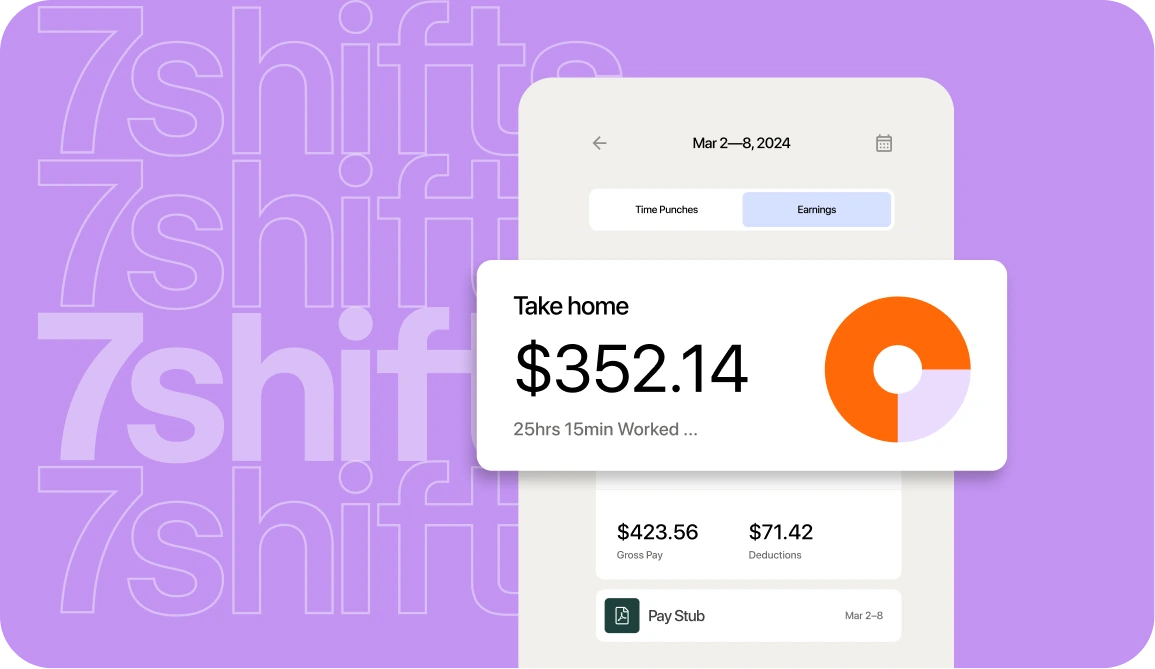
Because your Aloha hours and tips flow straight into pay runs, there’s nothing to export and nothing to re-type. The schedule your manager builds becomes the punches you pay against, with tips already attached.
That tight loop does more than save time. Restaurants using 7shifts reduce labor costs up to 3% per location, because you’re scheduling to real demand and paying only for the hours you planned. See how the restaurant payroll software turns Aloha data into a pay run.
Built for multi-location franchise control
Franchise operators live in a central dashboard, and 7shifts gives you one across every unit. You see labor for all your Aloha locations in a single view instead of logging in store by store.
Permissions follow your structure. A franchisee sees their own units, corporate sees them all, and everyone gets exactly the access their role calls for. Standardized role and schedule templates let you copy a proven labor model for each store instantly, which can help save hours of manager time every week.
This is the same multi-location restaurant management approach used by franchise groups like Synergy Franchising, the operator behind Popeyes and Firehouse Subs units, and Toastique. It’s software built for franchise groups, not a single-store tool stretched to fit.
Tip and overtime compliance handled correctly
Tips synced from Aloha don’t just sit there. They feed your tip pooling and flow into payroll, so the amounts people earned are the amounts they’re paid.
Getting tipped pay right starts with understanding the tip credit. A tip credit lets an employer count a worker’s tips toward the minimum wage, so the cash wage you pay can be lower than the full minimum. Under the federal tip credit rules, under the federal Fair Labor Standards Act, an employer may pay a tipped employee a cash wage as low as $2.13 an hour and claim a tip credit of up to $5.12, as long as tips bring the worker to at least the $7.25 federal minimum wage.
There’s also dual-rate overtime to think about. That’s when a worker holds two jobs at two pay rates, like a cook who also picks up server shifts, and their overtime has to blend both rates. 7shifts tracks the hours and rates so that math is handled. One caution: tip and wage rules vary by state—check your local requirements before you set your policy.
Consolidated payroll across every unit
You run payroll for all your locations from one place, not one login per store. Owners get consolidated reporting, so you can see total labor across the group without stitching spreadsheets together.
That consolidation is where the hours add up. Managers save hours per month once the busywork of exporting and re-keying is gone. And while this article is about Aloha, it’s worth knowing 7shifts integrates with 50+ restaurant POS systems, so the same setup travels if a unit ever changes systems. Here’s a closer look at payroll for multi-location restaurants.
Getting started on 7shifts with Aloha POS
You don’t need to figure this out all at once. Here’s the order that works:
- Confirm your Aloha details: Check with your reseller that each location runs Aloha 12.3 or higher and has an active Aloha Connect license.
- Request the integration: Turn it on through your 7shifts account, and the Integration team will help.
- Map roles and employees: Match your Aloha jobs and staff to 7shifts before you sync anything.
- Switch on the features: Once mapping is done, enable sales, actual labor, tips, Employee Sync, and Wage Sync.
For quick-service and fast-casual franchise groups, this fits how you already work. See how quick service restaurant scheduling lines up with your units.
Frequently asked questions
Does 7shifts integrate with Aloha POS?
Yes. 7shifts connects to Aloha through Omnivore and syncs your sales and time-clocking data automatically.
How much does the Aloha integration cost?
Omnivore charges a $34.99 monthly licensing fee per location, and your 7shifts plan pricing is separate and depends on your number of locations and the features you use.
Do I need a specific version of Aloha?
Yes. You need Aloha Table Service or Quick Service version 12.3 or higher, plus an active Aloha Connect license at each location.
Can 7shifts handle payroll for multiple franchise locations?
Yes. You can run payroll and see consolidated labor reporting across every location from one dashboard.
Does the integration sync tips from Aloha?
Yes. Credit card tips sync into 7shifts, so they flow into your tip calculations and payroll.
Bring scheduling and payroll together on Aloha
Aloha keeps your service running. 7shifts takes the sales, hours, and tips it captures and turns them into schedules built to demand and pay runs that come out right, across every unit you operate.
For a franchise group, that’s the whole game: one platform, consistent labor models, and clean data your franchisor can trust. Pick one location, connect it to Aloha, and see how much time your managers get back. Start a free trial and bring it together.

Sean Scott, Manager, Brand & Content
Sean Scott
Manager, Brand & Content
Sean Scott is the brand and content manager at 7shifts. Sean manages a team of high-performing, creative marketers, and develops customer-focused, data-driven campaigns. In a past life, Sean caffeinated the public at various coffee shops.