The short answer: why 7shifts is the best fit for Lightspeed full service restaurants
7shifts is the best scheduling and payroll software for full service restaurants on Lightspeed. It’s built only for restaurants. And it connects natively to all three Lightspeed series: L-Series, K-Series, and U-Series (formerly Upserve).
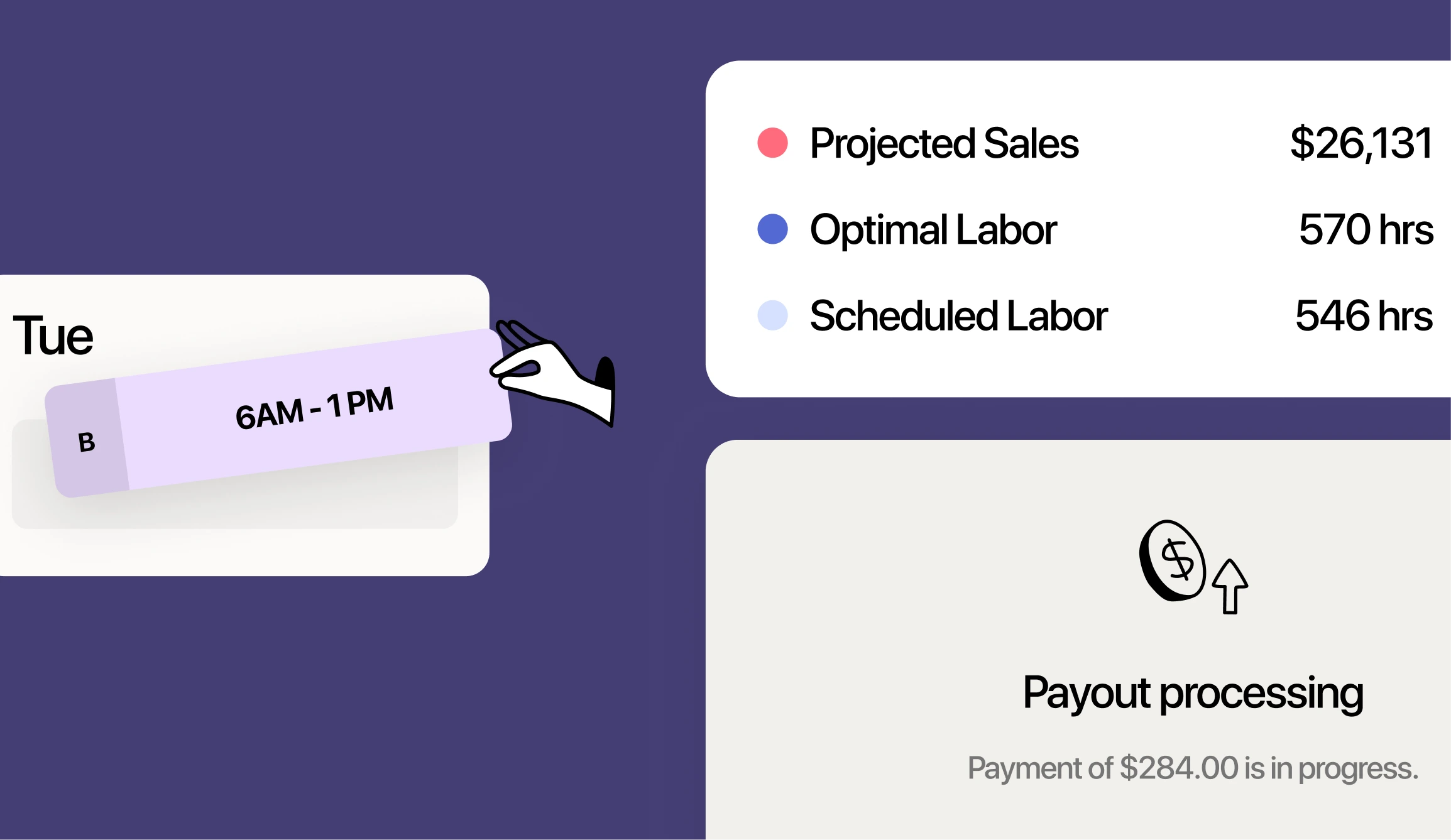
Here’s what that gets you. 7shifts pulls your sales, labor, and tips from Lightspeed into one place. So you get accurate sales-driven schedules, automated tip pools, faster payroll, and real-time control of your labor cost.
The 7shifts + Lightspeed integration does the heavy lifting for you. Your point of sale (POS) data flows straight into scheduling and payroll. No re-keying hours. No spreadsheet math at the end of the pay period.
Why Lightspeed full service restaurants need a dedicated scheduling and payroll tool
Lightspeed is a strong POS. It handles your sales, payments, and reporting well. But it doesn’t include built-in employee scheduling or payroll.
For a busy full service restaurant, that gap adds up fast. You’ve got servers, bartenders, and kitchen staff on different shifts and pay rates. Without a connected tool, you type hours into one system and tips into another. Then you rebuild it all in a spreadsheet on payday.
That manual work is where mistakes live. And mistakes with hours and tips get expensive.
Labor cost is usually your biggest controllable expense. Labor cost percentage is simple: your labor cost divided by your sales, shown as a percent. Full service operators watch it closely because a few points either way decides your profit.
The pressure is real. According to the National Restaurant Association, among full-service respondents, salaries and wages (including benefits) were a median of 36.5% of sales in 2024. When labor eats that much of every dollar, you need to see it in real time, not weeks later.
How the 7shifts and Lightspeed integration works
The setup is straightforward. You connect your accounts, and then map your employees and roles first. Once mapping is done, your sales and labor start to flow.
7shifts supports all three Lightspeed series. Sales sync is on by default, and 7shifts pulls your Net sales. Labor syncs once you turn on Actual Labor.
Historical import: On activation, 7shifts imports up to 90 days of your past sales. That gives you history to work with right away.
Forecasts: Sales projections appear after about one to two weeks of data. Both systems need the same time zone and workday hours (for example, 5:00 a.m. to 5:00 a.m.) so your numbers line up.
What syncs from each Lightspeed series (L, K, and U-Series)
Each Lightspeed series sends over a little different set of data. Here’s what to expect from each one.
| Lightspeed series | Sales sync | Labor/punches | Tips synced | Employee/wage sync |
|---|---|---|---|---|
| L-Series | Yes (Net sales) | Yes (closed punches; no breaks) | No | Name, email, phone, inactive status, and role assignments (wages not synced) |
| K-Series | Yes (Net sales) | Yes (closed punches) | Yes (CC tips and auto-gratuity) | Name and email; roles and wages need to be updated in 7shifts |
| U-Series (formerly Upserve) | Yes (Net sales) | Yes (closed punches; no breaks) | Yes (CC tips and auto-gratuity) | Name, email, Employee ID, inactive status, and role assignments; wage sync and schedule enforcement available as separate opt-in features |
A quick note on the differences. K-Series and U-Series both sync credit card tips and auto-gratuity. U-Series goes further with Employee ID sync, Wage Sync, and Schedule Enforcement, so staff can only clock in when they’re scheduled.
Schedule to real Lightspeed sales, not guesswork
Good scheduling starts with knowing how busy you’ll be. 7shifts uses your real Lightspeed sales to build demand-based schedules. That’s sales-driven forecasting: your schedule follows the sales you actually expect, hour by hour.
The accuracy is strong. 7shifts forecasting reaches up to 95% accuracy. So you staff the Friday dinner rush for the volume you’ll really see, not a hunch.
This saves your managers hours. That’s time your leaders get back for the floor and the team.
You can dig deeper with purpose-built restaurant scheduling software that reads your POS data. Match servers and cooks to the rush. Trim the slow hours. Protect service and your labor cost at the same time.
2026 Labor Costs Playbook
Increase your bottom line with insights from over 500 restaurant pros—learn the true cost of employee turnover, the best way to manage labor costs, and proven strategies to protect profits.
Turn Lightspeed tips into automated tip pools
Tips are one of the biggest headaches for full service teams. K-Series and U-Series sync credit card tips and auto-gratuity straight into 7shifts Tip Pooling. Once you set your tip calculation formula, tips flow into payroll too.
You build the rules once. Pool by hours, by points, or by percentages. That covers real full service tip-outs, like servers tipping runners, then runners tipping the kitchen.
Fewer disputes: When the math is automatic and based on POS data, your team trusts the numbers. That cuts the weekly “my tips are wrong” arguments that push good staff out the door.
Real time back: Automated tip pooling saves hours every month. That’s a manager’s calculator and late-night spreadsheet, gone.
You set the rules to match your house. Change a percentage once, and every future pool follows it. Your team gets paid the same fair way, shift after shift.
Run payroll without re-entering hours or tips
This is where it all comes together. Your closed punches and synced tips flow right into 7shifts Payroll. You don’t re-enter hours. You don’t re-enter tips.
7shifts handles the hard parts for you. It runs automatic tip-credit and overtime calculations. It’s one app for schedules, clock-in, and pay stubs.
Tip credit trips up a lot of operators, so here’s the plain version. Under federal tip credit rules, employers may pay a $2.13 minimum cash wage and claim a tip credit up to $5.12, as long as cash wages plus tips reach the $7.25 federal minimum. 7shifts checks this for you, so tipped pay stays correct.
For a group with two to five locations, payroll gets complex. 7shifts supports multiple locations, including separate EINs with separate bank accounts. You also get unlimited regular and off-cycle runs when you need them.
Want the full picture? See how restaurant payroll built for restaurants turns every shift into an accurate paycheck.
Control labor cost and stay compliant across every location
Full service labor moves fast, and small errors scale across every unit. 7shifts gives you real-time labor dashboards tied to your live Lightspeed sales. You see labor as a percent of sales while the shift is still going.
You also get overtime alerts before overtime happens. Across two to five locations, that catches the extra hours that used to slip by unnoticed. On U-Series, clock-in enforcement stops early punches, which can prevent about hundreds of dollars a month in unbudgeted labor.
Compliance is more than a nice-to-have. Getting hours and tips wrong carries real cost. In fiscal year 2023, the U.S. Department of Labor recovered more than $29.6 million in back wages for nearly 26,000 food service workers nationwide.
Built-in labor compliance tools help you stay on the right side of the rules. Track breaks, watch overtime, and check tip credits, all in one platform.
See labor and sales in real time
Your dashboards compare actual labor against your schedule and your sales, updating as punches close throughout the day. You can watch sales per labor hour as the day unfolds. So you can send someone home early or call in help before it’s too late.
Acting in the moment matters. Restaurants that use 7shifts to run tighter shifts reduce labor costs by up to 3%. That’s real money you keep instead of finding out about it after payroll closes.
You can view each location on its own or all of them together. So an owner or CFO can spot the one store trending high and fix it that day.
You get all of this through real-time labor reporting that pulls straight from your Lightspeed data. No waiting for the week to end.
Built for restaurants, not adapted for them
7shifts isn’t a general business tool with a restaurant setting. It’s built only for restaurants, and it’s trusted by 55,000+ restaurants. Every feature is made for how your shifts, tips, and teams really work.
That focus matters most with turnover. The restaurant and hospitality industry has a lot of churn. High turnover means you’re always onboarding. 7shifts helps new hires start fast with a mobile app for shift swaps, availability, and pay stubs. Your staff learns it in minutes, not days.
The Lightspeed relationship keeps getting deeper, too. In October 2024, Lightspeed expanded its partnership with 7shifts so Lightspeed Restaurant users can sync sales, labor, and employee data into 7shifts and access 7shifts Payroll. You can build on a connection both companies stand behind.
How to connect 7shifts to your Lightspeed POS
You can connect in a few simple steps. Most operators finish setup in under an hour.
- Go to Integrations in 7shifts and select Lightspeed.(U-Series only: before this step, add 7shifts as an API Partner in your Lightspeed Back Office to generate credentials.)
- Authorize the connection and connect your location or locations.
- Map your employees and roles so records match across both systems.On L-Series and U-Series, you map roles once, and the sync keeps running from there. On K-Series, roles and wages don’t sync automatically — you’ll set and update those manually in 7shifts as they change.
- Turn on Actual Labor to pull closed punches and labor cost.
- Enable tips, Employee Sync, and Wage Sync where your series supports them.
- Review the Warnings tab to fix any discrepancies before you close payroll.
That Warnings tab is your final checkpoint. It flags missing punches and unmapped employees, so payroll goes out clean.
You only map roles and wages once per person. After that, the day-to-day sync runs on its own. So the more you use it, the less setup you touch.
Frequently asked questions
Does Lightspeed POS have built-in scheduling or payroll?
No. Lightspeed handles your sales, payments, and reporting, so scheduling and payroll come from a connected tool like 7shifts.
Which Lightspeed versions does 7shifts work with?
7shifts connects natively to all three: L-Series, K-Series, and U-Series (formerly Upserve). K-Series and U-Series also sync credit card tips and auto-gratuity.
Can 7shifts pull hours and tips from Lightspeed into payroll?
Yes. Closed punches and labor sync into payroll, and K-Series and U-Series tips flow into Tip Pooling. Once you set your tip calculation formula, those tips flow into payroll too.
How long does the 7shifts + Lightspeed integration take to set up?
Most operators connect and map their team in under an hour. Sales import right away, and projections appear after about one to two weeks of data.
Is 7shifts a good fit for a multi-location full service restaurant?
Yes. You can standardize schedules and roles, watch labor from one dashboard, and run payroll across multiple locations with separate EINs.
Start scheduling and running payroll on Lightspeed with 7shifts
Your Lightspeed data deserves to work for you. 7shifts turns it into accurate schedules, automated tip pools, and clean payroll, all in one place built for restaurants. You save time, protect your labor cost, and keep your team happy.
Ready to see it on your own numbers? Start a free trial and connect your Lightspeed POS today.

Rebecca Hebert, Sales Development Representative
Rebecca Hebert
Sales Development Representative
Rebecca Hebert is a former restaurant industry professional with nearly 20 years of hands-on experience leading teams in fast-paced hospitality environments. Rebecca brings that firsthand knowledge to the tech side of the industry, helping restaurants streamline their operations with purpose-built workforce management solutions. As an active contributor to expansion efforts, she’s passionate about empowering restaurateurs with tools that genuinely support their day-to-day operations.