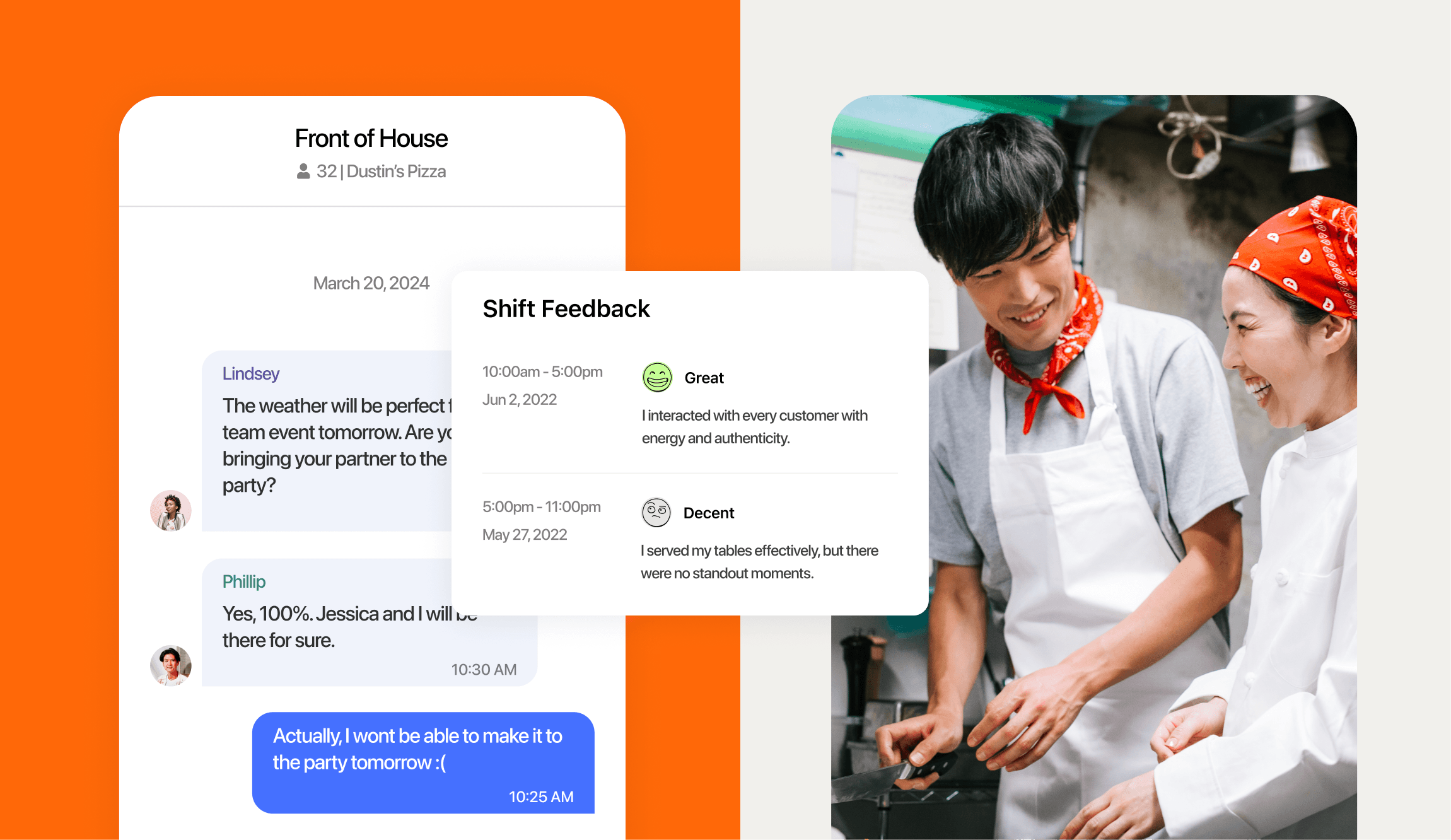
Labor is a restaurant’s biggest controllable cost, and running it on spreadsheets, whiteboards, and group texts drains hours every week. Restaurant workforce management software replaces that mess. It’s one platform to schedule staff, track hours, run payroll, manage tips, and stay compliant.
Get it right and you cut admin time, control your costs, and give your team a schedule they can trust.
What is restaurant workforce management software?
Restaurant workforce management software is one platform that handles scheduling, time tracking, payroll, tip management, hiring, and labor compliance for your restaurant. Instead of juggling separate tools, you run your whole team from one place.
Managing that workforce is a job on its own. The National Restaurant Association projects about 15.9 million restaurant workers in the United States. And food and beverage serving workers held about 5.1 million jobs in 2025, per the Bureau of Labor Statistics.
Generic office HR tools weren’t built for that reality. They don’t know what to do with tipped wages, split shifts, or a schedule that changes by the hour.
Why restaurant workforce management matters
For full service restaurants, labor is the number one cost to watch. For full service labor costs, salaries and wages were a median of 36.5% of sales in 2024. That’s according to the National Restaurant Association’s Restaurant Operations Data Abstract.
Manual systems make that cost harder to control. Handwritten schedules, punch cards, and text-message shift swaps hide overtime until payday. They also create pay errors and disputes that push good staff out the door.
Getting pay wrong carries real risk, too. According to the U.S. Department of Labor, investigators recovered $29.6 million in back wages for nearly 26,000 food service workers in fiscal year 2023. Software that tracks hours, breaks, and tips accurately helps you control your labor costs and avoid those mistakes.
2026 Labor Costs Playbook
Increase your bottom line with insights from over 500 restaurant pros—learn the true cost of employee turnover, the best way to manage labor costs, and proven strategies to protect profits.
What to look for in restaurant workforce management software
The best restaurant workforce management software covers the full shift, from the schedule to the paycheck. Here are the features that matter most for a busy full service operation, and the pain point each one solves.
Smart scheduling that forecasts labor
Good scheduling starts with your sales. Restaurant scheduling software builds shifts from your point of sale (POS) forecasts. You add staff for a Friday rush and trim hours on a slow Tuesday.
Set a labor budget, get an alert before anyone hits overtime, and let staff grab open shifts from a shift pool. That means fewer payday surprises and less back-and-forth for managers.

Time clocking and real-time labor visibility
A time clock that syncs to the schedule keeps your hours honest. A time clocking app can use geofencing and photo clock-in to stop early punches and time theft. You watch labor against sales in real time and get an overtime alert before hours cross 40.
Automated tip pooling and tip payouts
Tip pooling is how you split tips across the team, like servers tipping out runners and kitchen staff. For a high-volume full service restaurant, those formulas get complicated fast, and manual math leads to disputes. Automated tip pooling applies your rules to POS data, so tip-outs are accurate and transparent.
7shifts customers save hours a month using Tip Pooling, and staff can get paid the same night with On-Demand Pay.
Payroll built for restaurants
Restaurant payroll software pulls approved hours and tips straight from the schedule and time clock, so you’re not rekeying numbers on payday. It handles tip credit and overtime math automatically, and it supports multiple locations and separate Employer Identification Numbers (EINs). Your team gets one login for schedules, punches, tips, and pay.
Labor compliance and reduced risk
Getting pay and scheduling right isn’t optional. The software builds compliance into the daily workflow, with alerts for breaks, minor rules, tipped overtime, and predictive scheduling laws. That’s how you catch a problem before it becomes a fine.
Training that builds consistent skills
Inconsistent training is why quality drifts store to store and new hires quit early. Employee training software turns your SOPs, menus, and handbooks into digital courses your team finishes on their phones, no separate login required.
Assign courses by role, department, or location, track completion from one dashboard, and let automatic reminders chase down overdue training so you’re not doing it between the lunch and dinner rush.
One app across your locations
Running two to five locations means keeping shifts, pay, and standards consistent everywhere. From one dashboard you can manage multiple locations, move staff between them with a single profile, and compare labor across units. You spot the location trending over budget before the month closes.
Why 7shifts stands out
Plenty of tools do one piece of this. 7shifts brings the whole shift together in one place, and it’s built for restaurants, not offices. That’s the difference between a tech stack you maintain and a single platform your team actually uses.
| Juggling separate tools | 7shifts as one platform |
|---|---|
| A scheduling app, time clock, payroll, training, and tip spreadsheets that don’t talk to each other | Scheduling, time clock, tips, training, and payroll in one connected place |
| Rekeying hours and tips by hand every payday | Approved hours and tips flow straight to payroll |
| Labor numbers you piece together after the fact | Real-time labor and sales you watch during the shift |
| A different login for every location | One dashboard and one staff profile across locations |
A few more reasons 7shifts fits full service teams:
- One connected platform: scheduling, time tracking, tips, payroll, and hiring work together, so you replace four tools with one.
- Built for restaurants: the workflows match how restaurants run, from tip-outs to split shifts.
- Easy for staff: the mobile app is simple enough that your team adopts it without a training project.
- Proven at scale: 7shifts is trusted by more than 55,000 restaurants.
Engaged teams also stay. 7shifts reports that 88% of its customers see improved team morale, retention, or performance.
Proof it works: real restaurant results
Numbers on a feature page are one thing. Results in a real restaurant are another. When Josh Bishop moved his two Arizona locations onto 7shifts, the change showed up on the bottom line.
- Labor costs down about 20% after moving off manual scheduling.
- Payroll time cut 70%, saving about 105 minutes every payday.
- Four tools replaced with one connected platform.
- Turnover down about 60%, from 85% in year one to 25% by year three.
His goal was simple: one platform to run the team, not a stack of tools to maintain. Read the full Fork & Fire case study for the details.

How to choose the right platform for your restaurant
Comparing options? Run each one through this checklist:
- Built for restaurants: it understands tipped wages, split shifts, and POS data, not just office HR.
- Covers the full shift: scheduling, time clock, tips, payroll, and compliance in one place.
- Connects to your POS: hours, sales, and tips sync automatically.
- A mobile app staff will use: easy enough that adoption isn’t a fight.
- Scales across locations: one system that grows from one location to five.
- Real customer proof: case studies and results from restaurants like yours.
Frequently asked questions
What is restaurant workforce management software?
It’s one platform that handles scheduling, time tracking, payroll, training, tip management, and labor compliance for a restaurant. It replaces the spreadsheets and disconnected apps most operators start with.
What features should this software include?
Look for scheduling, time clocking, automated tip pooling, payroll, labor compliance, team communication, and multi-location support. The best platforms connect all of these to your POS.
Does workforce management software handle payroll and tips?
Yes. Platforms like 7shifts sync approved hours and tips to payroll and automate tip pooling and tip payouts, so you don’t rekey numbers by hand.
Is 7shifts good for multi-location restaurants?
Yes. You manage two to five locations from one dashboard, move staff with a single profile, and track labor across every unit.
How does workforce management software reduce labor costs?
It matches staffing to your sales forecast, tracks labor against sales in real time, and alerts you before overtime hits. That prevents the over-scheduling and surprise overtime that quietly inflate labor costs.
Get started with 7shifts
7shifts puts it in one platform: lower labor costs, less time on admin, and a schedule your team can count on. That’s what the right platform delivers, and it’s what 7shifts is built to do.
Start a free trial and see how much time your restaurant gets back.

Sean Scott, Manager, Brand & Content
Sean Scott
Manager, Brand & Content
Sean Scott is the brand and content manager at 7shifts. Sean manages a team of high-performing, creative marketers, and develops customer-focused, data-driven campaigns. In a past life, Sean caffeinated the public at various coffee shops.