Why Toast restaurants need more than a POS for scheduling and payroll
7shifts is the best scheduling and payroll software for full-service restaurants (FSR) using Toast because it connects natively to Toast and turns your POS sales, labor, and tip data into accurate schedules, faster payroll, and real-time labor cost control. Toast handles orders and payments, but your front- and back-of-house teams still need schedules, time tracking, tip distribution, and payroll—all built for the way restaurants actually work.
Labor costs are the biggest pressure point. According to NRA 2024 labor cost data, full-service restaurants had a median of 36.5% of sales going to salaries and wages (including benefits). That’s why having scheduling, time tracking, and payroll that talk directly to Toast matters.
How the 7shifts and Toast integration works
The 7shifts Toast integration automatically syncs sales, time-clocking data, and employee wages from Toast into 7shifts. It’s purpose-built for restaurants, so every feature assumes tipped employees, split shifts, and variable schedules.
Toast charges $50/month per location for integration access, and certain features may need a plan upgrade. On the 7shifts side, Toast-integrated accounts get complimentary access to 7shifts Employee Onboarding—handy when turnover is high and you’re adding new hires every month.
Sales sync and smarter forecasting
7shifts pulls net sales from Toast for a real-time view of labor costs and AI-powered forecasts. The integration imports up to 90 days of historical sales data, and your first projections are ready in roughly one to two weeks. After that, forecasts update automatically as new sales data flows in.
Both systems need to share the same time zone and use a 5:00 AM–5:00 AM workday setting. That alignment ensures sales and labor line up correctly across overnight shifts. If your bar closes at 2 AM but your workday resets at midnight, your numbers won’t match—so set this up correctly from the start.
Employee and role mapping
Before you turn on labor, wage, or employee sync, you’ll need to map employees and roles between Toast and 7shifts. Mapping connects the right users and positions so labor data lands on the correct profiles. For example, if Toast calls a position “Server” and 7shifts calls it “FOH Server,” you’ll link those so hours and wages flow to the right place.
Skip this step and you’ll see inflated or missing labor costs from unmapped roles. It takes a few minutes upfront but saves hours of reconciliation when you’re closing payroll.
Scheduling built for full-service Toast restaurants
Scheduling in a full-service restaurant means juggling servers, bartenders, hosts, line cooks, and prep—all with different availability, skill sets, and labor budgets. You can’t just drop names into time slots and hope it works. You need to match staffing levels to actual customer demand while staying under your labor target.
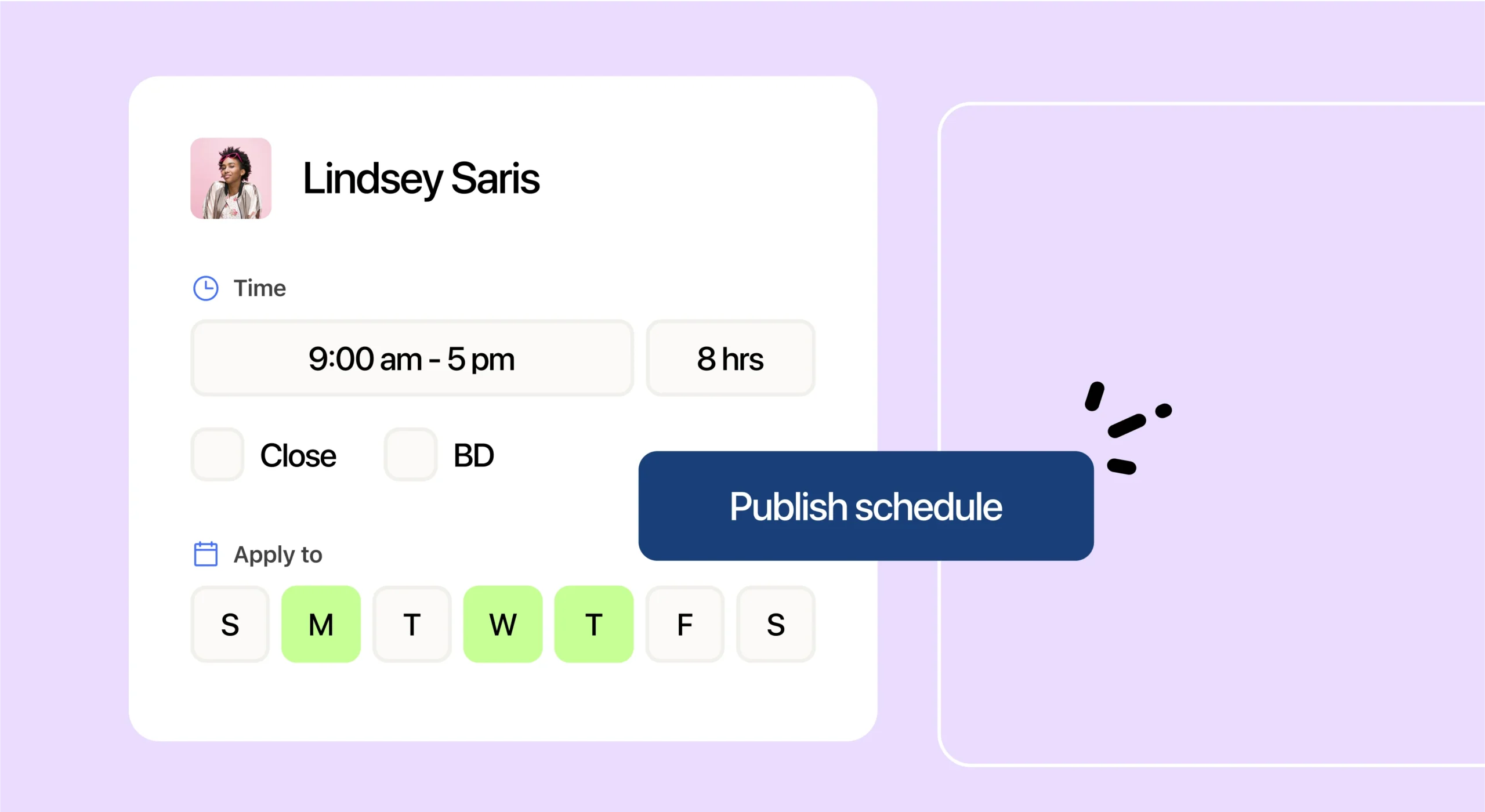
7shifts’ restaurant employee scheduling software pulls your actual POS sales trends from Toast so you can staff to demand, not guesswork. When you build a schedule, you’ll see projected sales alongside labor cost so you know if you’re over or under before you publish.
If you’re looking for the best scheduling software for Toast, the integration offers a standout feature: Schedule Enforcement. Staff can only clock into Toast when they have a scheduled shift in 7shifts. No shift? They’ll need a manager override to punch in. This keeps your actual labor aligned with your plan and prevents unauthorized overtime.
Key scheduling features with the Toast integration:
- Demand-based scheduling: Build shifts around real sales patterns pulled from your POS.
- Mobile publishing: Post and share schedules instantly with your team.
- Shift swaps and availability: Employees manage their own availability and request swaps in the app.
- Schedule Enforcement: Block clock-ins for unscheduled staff at the POS.
2026 Labor Costs Playbook
Increase your bottom line with insights from over 500 restaurant pros—learn the true cost of employee turnover, the best way to manage labor costs, and proven strategies to protect profits.
Time tracking and actual labor
The Actual Labor feature syncs Toast time punches into 7shifts so you can see exactly what you’re spending—not what you budgeted, but what’s actually hitting payroll. Tips are tied to each time punch, giving you a complete picture of labor cost plus tip earnings for every employee.
The dashboard compares Sales vs. Labor in real time. This is critical for full-service operators. According to the profitable FSR labor benchmark, full-service operators who reported a pre-tax profit in 2024 kept labor costs at a median of 34.2% of sales. If you’re running over that, you’ll see it before the week closes—not weeks later when the damage is done.
One important note: edit time punches in the POS, not in 7shifts. That keeps both systems in sync and avoids discrepancies when you run payroll. If a server clocks out late or a cook forgets to punch in, make the correction in Toast. For more on how this works, see 7shifts’ restaurant time clocking software.
Tip management and tip pooling with Toast
Tips are complicated in full-service. Servers earn differently from bartenders, support staff get tip-outs, and cash versus credit splits vary by shift. Every restaurant has its own house rules for how tips get divided—and keeping it fair and accurate matters for retention and compliance.
Toast transfers sales, payment, and tip data to 7shifts, so all four tip sources come through:
| Tip source | What it includes |
|---|---|
| Credit card (CC) tips | Card tips captured at checkout |
| Auto-gratuity | Service charges added to large parties |
| Cash tips | Declared cash collected during the shift |
| Declared tips | Tips manually entered by employees |
7shifts’ tip pooling software lets you build custom contribution and distribution rules by hours, points, or percentages. You can choose Equal Distribution, Percentage, or Points Weighting methods—whatever fits your house policy.
7shifts reports that tip pooling can save up to eight hours per week managing your tip pool. That’s time you’d otherwise spend in spreadsheets reconciling tip-outs manually.
Staying compliant with tip and wage rules
Tip rules aren’t optional—they’re enforced. Under the Fair Labor Standards Act (FLSA), employers can’t keep any portion of employees’ tips for any purpose, whether directly or through a tip pool, according to DOL tipped employee rules. The federal tipped cash wage floor is $2.13/hour, with a makeup rule requiring employers to cover the difference if total earnings don’t reach $7.25/hour. State laws vary and often set higher minimums.
Enforcement is active. According to DOL food service enforcement, in fiscal year 2023 the U.S. Department of Labor’s Wage and Hour Division recovered more than $29.6 million in back wages for nearly 26,000 food service workers. Accurate tip tracking tied to your POS helps you avoid being part of that statistic.
Payroll that runs on your Toast data
Restaurant margins are thin. Full-service profit margins typically run 3%–5%, so every payroll error eats into what little profit you have. Double-entering hours or miscalculating tips doesn’t just waste time—it costs real money and erodes trust with your team.
7shifts’ restaurant payroll software connects directly to your Toast data, so hours and tips flow into pay without re-keying. Here’s how the sync works:
- Wage Sync: Pulls hourly wages from Toast. Salaried positions are excluded.
- Employee Sync: Auto-creates employee profiles in 7shifts when you add someone in Toast.
- Tip calculation: Once configured, tips can be included in payroll and exports automatically.
Before closing a pay period, check the Warnings tab. It reconciles discrepancies like missing punches, unmapped employees, and role mismatches. Fixing these before you run payroll means fewer corrections after checks go out—and fewer awkward conversations with employees about short pay.
For a deeper look at how restaurant payroll should work, see our guide on the best restaurant payroll software.
Payroll Implementation Checklist
Use this handy checklist so you don’t miss a thing.
Faster onboarding for high-turnover teams
Turnover in restaurants is relentless. Constant hiring, constant training, and constant system setup.
Each new hire costs money, too. Cornell turnover cost research estimates it costs about $5,864 to replace a single front-line restaurant employee. Part of that cost is administrative—setting up profiles, entering wage information, and getting someone into the schedule takes time you don’t have.
The Toast integration speeds onboarding in two ways:
- Employee Sync: New hires added in Toast automatically create profiles in 7shifts. No duplicate data entry.
- Complimentary Employee Onboarding: Toast-integrated accounts get free access to 7shifts’ onboarding tools, so new team members can complete paperwork and training before their first shift.
Accurate mapping keeps your labor data clean from day one. New employees show up correctly in schedules, time tracking, and payroll—without you chasing down missing profiles or fixing role mismatches later.
Frequently asked questions
Does 7shifts integrate with Toast?
Yes. The native integration syncs sales, labor, wages, and tips between Toast and 7shifts automatically.
Does the 7shifts and Toast integration handle payroll?
Yes. Hours and tips from Toast flow into 7shifts for payroll processing and exports.
How much does the Toast integration cost?
Toast charges $50/month per location for integration access. Certain features may require a plan upgrade.
Can 7shifts run tip pooling from Toast data?
Yes. Credit card tips, cash tips, auto-gratuity, and declared tips can all feed custom tip pools in 7shifts.
Does wage sync cover salaried staff?
No. Wage Sync imports hourly positions only. Salaried employees are excluded.
Connect 7shifts with Toast POS today
Ready to connect your Toast POS to scheduling and payroll built for restaurants? Start a free trial.

Justin Holmes, CMO
Justin Holmes
CMO
CMO at 7shifts