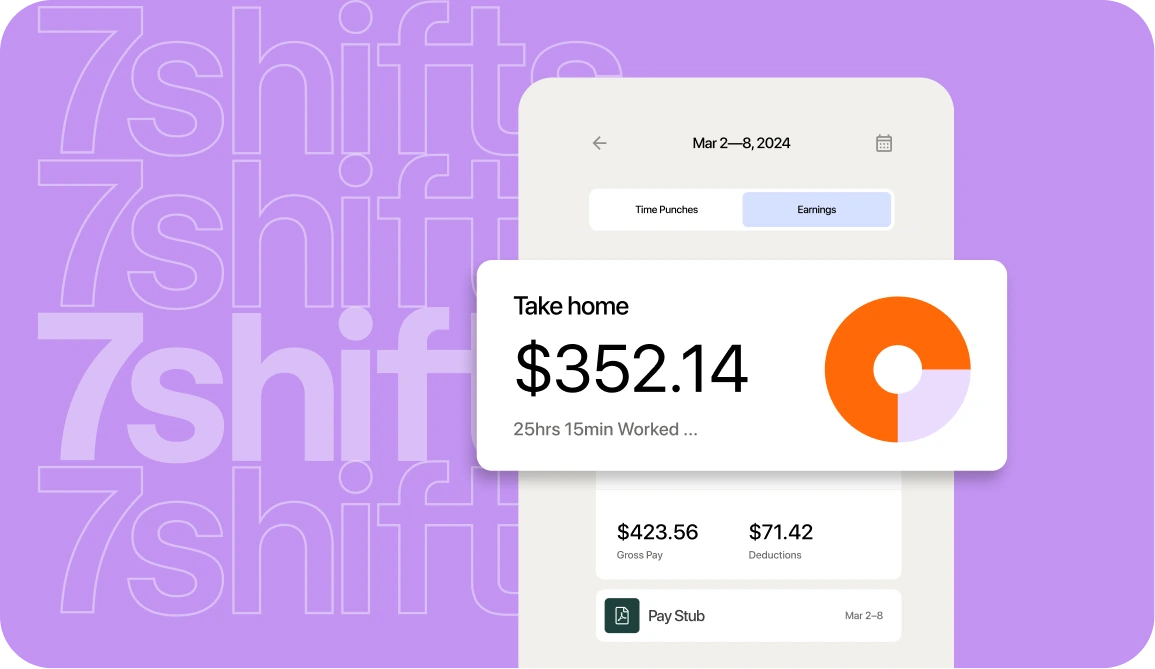
The short answer: how to keep restaurant payroll on time
You avoid late payroll by setting a payroll calendar with buffer days, approving timecards early and often, and connecting time tracking to payroll so hours, tips, and overtime flow automatically. That’s it. No last-minute scrambling, no compliance surprises.
“Late payroll” means missing the day employees are due to be paid. According to federal wage payment rules, “Wages required by the FLSA are due on the regular payday for the pay period covered.” It’s not optional.
The rest of this guide walks you through the real causes of late payroll in restaurants and a repeatable workflow to prevent it.
Why late payroll is a bigger problem than it looks
Paying your team late isn’t just an inconvenience. It breaks trust with people who count on that check for rent, childcare, and groceries.
In an industry with already-high turnover, a single missed payday can push a good employee to walk. And when they leave, you’re stuck training someone new—again.
There’s also a legal side. According to U.S. Department of Labor data on food service wage enforcement, “In fiscal year 2023, the Wage and Hour Division successfully recovered more than $29.6 million in back wages for nearly 26,000 food service workers nationwide and assessed $6.1 million in civil money penalties in the food services industry.”
The legal and financial penalties
Federal and state law require timely pay. The specifics vary, but the penalties are real.
At the federal level, FLSA civil money penalties state that “Repeated or willful violation of section 206 or 207 … Maximum Civil Monetary Penalty on or after 1/16/2025: $2,515.” That’s per violation.
States often add their own consequences:
- California: California late-pay penalties include “$100 for each failure to pay each employee” on an initial violation and “$200 for each failure to pay each employee, plus 25% of the amount of wages unlawfully withheld” for repeat or willful violations.
- Illinois: Under Illinois wage payment penalties, unpaid wages rack up damages “equal to 5% of the underpayment, per month.” If an employer then ignores a state order to pay, that grows by “a penalty equal to 1% per day of the underpayment, for each day that payment is delayed.”
Laws vary by state, so check your local rules. The takeaway: delays cost real money, and the longer you wait, the worse it gets.
Payroll Implementation Checklist
Use this handy checklist so you don’t miss a thing.
What actually causes restaurant payroll to run late
Generic payroll advice doesn’t account for restaurant reality. Your team works variable hours, earns tips, swaps shifts, and might work at more than one location.
According to a 2025 ADP global payroll survey, “The three most common causes of payroll inaccuracies are reported as: data inaccuracies (37% say so), time entry errors (33%) and lack of automated processes (33%).” (Note: This survey covered large organizations worldwide with 1,000+ employees, not just restaurants, but these causes line up with what trips up restaurant teams.)
Here are the most common culprits in restaurant payroll.
Missing or messy timecards
This is the number one cause of late payroll. Unapproved punches, missed clock-ins, and last-minute edits slow everything down.
You can’t submit payroll on numbers you don’t trust. If you’re chasing managers to approve timecards the morning of your deadline, you’re already behind.
Restaurant time clocking software helps by capturing punches accurately and surfacing missing approvals before they become a problem.
Tip and overtime calculations that don’t add up
Tips, tip credit, blended overtime—these add complexity most payroll guides skip.
- Tip credit: Some states let you pay tipped employees a lower base wage if tips bring them to minimum wage. If they don’t, you owe the difference. Calculating this manually invites errors.
- Blended overtime rate: When an employee works multiple roles at different pay rates (say, server and bartender), overtime must be calculated at a blended rate, not just one rate. Getting it wrong means rework or compliance risk.
Automated tip management removes the guesswork by calculating tips and tip credit automatically.
Scattered data across locations and tools
If you’re running two to five locations, you know this pain. Hours live in one system, tips in another, and scheduling in a spreadsheet.
Pulling it all together takes time—time you don’t have on payroll day. A multi-location operations dashboard centralizes your data so you’re not reconciling by hand.
A simple workflow to never miss a payroll deadline
Preventing late payroll isn’t about working harder. It’s about building a repeatable system that catches problems before they blow up.
Here’s a five-step workflow you can start using this pay period.
Step 1: Build a payroll calendar with buffer days
Don’t wait until the last minute to realize you’re missing information. Map out your deadlines and build in buffer days.
| Day | Task |
|---|---|
| Monday | Review all timecards; flag discrepancies |
| Tuesday | Deadline for managers to approve timecards |
| Wednesday | Final review; resolve any remaining issues |
| Thursday | Submit payroll |
| Friday | Employees receive pay |
The exact days depend on your pay period and processor. The principle stays the same: build in at least two buffer days between your approval deadline and submission.
Step 2: Approve timecards early and often
Don’t save timecard approval for the end of the pay period. Catch variances while they’re fresh.
At Little Italy Pizza, managers review and approve all timecards as the last task of every shift. This catches large variances immediately—before anyone forgets what actually happened.
Palm Coffee Bar’s owner takes a different approach: reviewing all timecards on Monday to create a multi-day buffer. That leaves time to call employees, fix punch discrepancies, and resolve disputes well before the payroll submission deadline.
Both methods work. The key is building approval into your routine, not treating it as a one-time scramble. Restaurant time clocking software makes this easier by surfacing unapproved punches and flagging missing clock-ins automatically.
Step 3: Connect time tracking, tips, and payroll
Manual data entry is slow and error-prone. Every export-and-import step is a chance for mistakes.
When your time tracking, tips, and payroll live in one system, approved hours flow directly to payroll. Tip credit and overtime calculate automatically. You’re not re-keying numbers or reconciling spreadsheets.
Little Italy Ristorante reduced payroll processing from over three hours to a few minutes after connecting their systems. That’s time back in your week—and fewer chances for errors.
Restaurant payroll software built for restaurants handles this automatically.
Step 4: Catch compliance issues before pay day
The worst time to discover an overtime violation is when you’re trying to submit payroll.
Surface these issues during scheduling instead:
- Overtime alerts: Know when someone’s approaching 40 hours before they hit it.
- Break compliance: Track required breaks so you’re not scrambling to document them later.
- Tip credit shortfalls: Catch when tips don’t bring an employee to minimum wage before payroll, not after.
Labor compliance tools flag these issues automatically so you can fix them in the schedule, not at the last minute.
2026 Labor Costs Playbook
Increase your bottom line with insights from over 500 restaurant pros—learn the true cost of employee turnover, the best way to manage labor costs, and proven strategies to protect profits.
Step 5: Standardize the process across every location
If each location has its own approval process, reporting format, and deadline, you’re spending hours reconciling instead of submitting.
Standardization means:
- One approval workflow: Every manager follows the same timecard approval cadence.
- One reporting format: Labor data looks the same across all locations.
- One submission process: You’re not pulling from five different spreadsheets.
Real-time labor reporting gives you consistent data across every location so you can spot issues and submit payroll faster.
What to do if payroll is already late
Sometimes, despite your preparation, payroll runs late. Here’s how to recover.
- Communicate immediately: Tell your team what happened and when they can expect payment. Silence makes things worse.
- Pay as fast as possible: The longer wages are delayed, the higher penalties climb in many states.
- Document the cause: Note what went wrong so you can prevent it next time.
- Check your state rules: Some states have specific requirements for notifying employees or paying penalties. Know yours.
The goal is to make this a one-time event, not a pattern.
Frequently asked questions
What causes restaurant payroll to be late?
The most common causes are unapproved or inaccurate timecards, complex tip and overtime calculations, and data scattered across multiple locations and tools.
What happens if you run payroll a day late?
Employees may be paid late, which is a legal violation in many states, and you can owe penalties that grow the longer pay is delayed—check your state’s rules.
Is it normal for restaurant payroll to be late?
It happens, but it shouldn’t be routine—a payroll calendar with buffer days and early timecard approval prevents most delays.
How can restaurant payroll software help?
It pulls approved hours, tips, and overtime automatically so you spend minutes, not hours, and hit every deadline.
Pay your team on time, every time
Late payroll isn’t inevitable. With a payroll calendar, early timecard approval, and connected systems, you can pay your team on time—every time.
7shifts brings scheduling, time clocking, tips, and payroll together in one platform built for restaurants. Start a free trial and see how much easier payroll can be.

Sean Scott, Manager, Brand & Content
Sean Scott
Manager, Brand & Content
Sean Scott is the brand and content manager at 7shifts. Sean manages a team of high-performing, creative marketers, and develops customer-focused, data-driven campaigns. In a past life, Sean caffeinated the public at various coffee shops.
