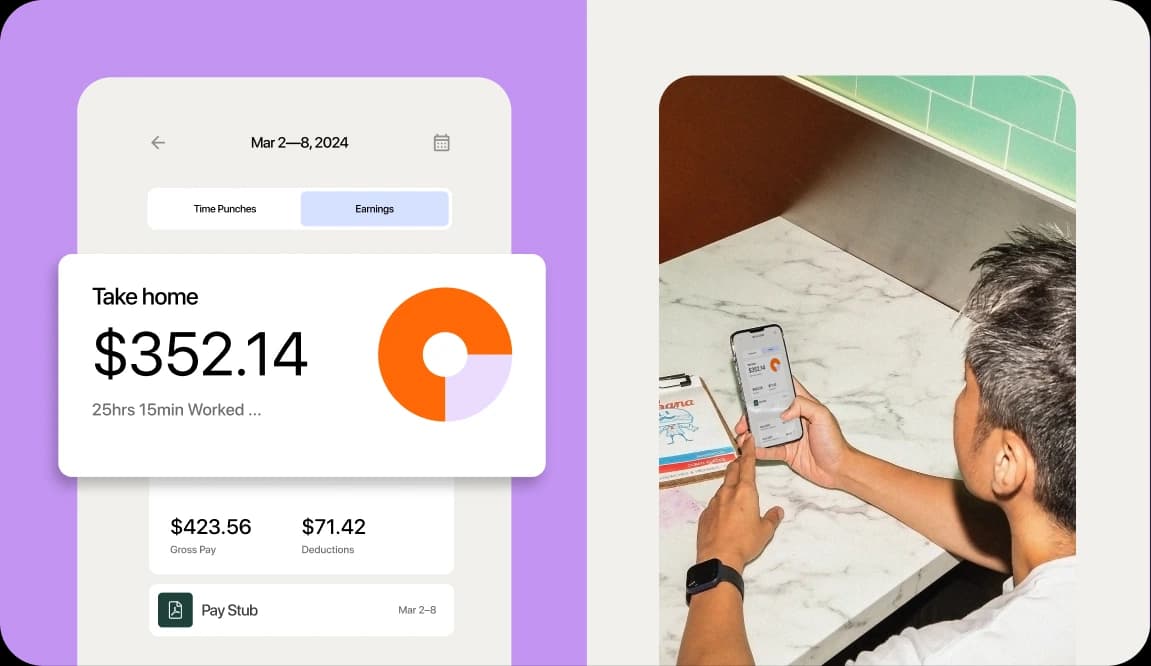
Every pay period, someone on your team probably re-types hours and tips from one screen into another. It’s slow, and it’s easy to get wrong.
Connecting POS and payroll for restaurants fixes that. Your point-of-sale (POS) system feeds hours and tips straight into payroll. Done right, it cuts double entry, speeds up payroll, and reduces costly mistakes across your locations.
What connecting POS and payroll for restaurants means
Connecting POS and payroll for restaurants means your point-of-sale system and time clock send hours and tips straight into payroll. No one re-types them by hand.
Your POS is where sales happen. Payroll is the system that pays your staff and handles taxes.
When those two talk to each other, a server’s clock-in, hours, and credit card tips flow into the paycheck automatically. That’s the end of double entry.
Most restaurants set this up through POS and payroll integrations that link the two systems. The goal is simple. Record the data once, and let it travel where it needs to go.
Payroll Implementation Checklist
Use this handy checklist so you don’t miss a thing.

Why connecting POS and payroll matters
Labor is your biggest controllable cost, so the numbers behind payroll have to be right. The stakes are real.
Full-service restaurants spent a median of 36.5% of sales on salaries, wages, and benefits in 2024, and profitable full-service operators held that figure to a median of 34.2%, according to restaurant labor cost data in the National Restaurant Association’s 2025 Restaurant Operations Data Abstract.
Manual re-entry works against you three ways. It wastes hours, creates costly typos, and opens you up to compliance mistakes on wages and tips.
Avery Ward of Little Italy lived this. When his payroll software stopped pulling POS timecards, a manager had to re-enter everything by hand. That meant hours, roles, and tip lines for 83 employees every pay cycle, about four hours every two weeks.
Once timecards, sales, and tip data flowed straight from the POS and scheduling system into payroll, the run dropped to about five minutes. That’s the difference a clean connection makes for a growing group. It also frees a manager to be on the floor instead of at a keyboard.
Tips add another layer of math. 7shifts tip management saves customers around hours each month on tip calculations alone.
Those saved hours turn into better decisions, too. When your sales and labor data live together, you can see what each shift really costs. That’s how a growing group protects its margin instead of guessing at it.
How POS-to-payroll integration works
The connection follows a clear path. Your staff clock in and out.
The POS and time clock record their hours and capture credit card tips. That data syncs to payroll, which then calculates wages, overtime, and taxes.
Restaurant-built restaurant payroll software handles this without an export or import step when scheduling, time clocking, tips, and payroll all live in one platform. Clock-ins flow to payroll with the right labor classifications, and compliance checks happen along the way.
The same POS sales data does double duty. It powers labor forecasting, so you can staff to expected demand. And it feeds real-time labor reports you can read mid-week, not just after the fact.
The data that flows between POS and payroll
A lot of small details move between systems each pay period. Here’s what typically flows:
- Clock-in and clock-out times: the raw punches that set each shift’s length.
- Hours by role: a server who also bartends gets paid the right rate for each job.
- Break deductions: unpaid breaks come out so hours stay accurate.
- Overtime flags: hours past the legal threshold get marked for higher pay.
- Credit card tips: these must be imported each pay period so they land in the right paycheck.
- Sales per employee: the numbers that power labor reports and forecasting.
For a clean import, some fields must match across both systems. Employee names or IDs, roles, and locations need to line up exactly. If a name is spelled two ways, the hours and tips can land on the wrong person.
Good restaurant tip management keeps tips tied to the correct employee from the POS all the way through to the paycheck.
Why timesheets still need a human check
Automatic sync is fast, but it isn’t a reason to skip review. Before payroll runs, someone should approve the imported timesheets. A quick look catches the errors software can’t.
Auto-approve pushes hours through with no review. Manual approval puts a manager in the loop first.
That checkpoint catches missed punches, forgotten clock-outs, and tip-pool edge cases before they hit a paycheck. For a multi-location group, it also keeps each store’s numbers consistent.
Two ways to connect POS and payroll
There are two common ways to link your sales data to payroll. You can connect separate tools, or you can run everything in one restaurant platform. The right choice depends on how many moving parts you want to manage.
The first approach uses a POS plus a standalone payroll or accounting system, linked by an integration. The second keeps scheduling, time clocking, tips, and payroll in a single restaurant platform, so there’s no export or import at all. That single system also runs tip pooling software on the same data your team already clocked.
| Approach | Setup effort | Error risk | Source of truth |
|---|---|---|---|
| Integrate separate tools | Higher — connect and maintain a link between two systems | Higher — data can drift when fields don’t match | Split across two systems |
| Use one restaurant platform | Lower — one setup, no export or import step | Lower — one dataset feeds everything | One platform for all labor data |
Staying compliant when POS data feeds payroll
Connected data has to handle tipped-employee rules correctly, because the math is strict. Get it right and your payroll builds its own paper trail. Get it wrong and you risk back pay and penalties.
Federal law sets a baseline for tipped pay. Under the federal tip credit rules, you must pay a tipped worker a direct cash wage of at least $2.13 per hour. You can take a maximum tip credit of $5.12 per hour, as long as tips bring pay to the $7.25 federal minimum wage.
A tip credit is the amount of an employee’s tips you can count toward the minimum wage. When you take a tip credit, overtime must be calculated on the full $7.25 minimum wage, not the $2.13 cash wage.
Those are federal figures. Your state may require a higher cash wage, or ban the tip credit entirely. Check your state’s rules before you set your rates.
7shifts calculates tip credits automatically, which takes the guesswork out of this math for every tipped employee.
Reporting tips the right way
Your staff have a reporting duty too. Under IRS tip reporting rules, employees must report their cash tips to you in writing.
This applies to any employee who gets $20 or more in cash tips in a calendar month. The report is due by the 10th day of the following month.
Connected payroll makes this far easier. It tracks reported tips and keeps records in one place, so you’re ready if anyone asks. Because tipped-wage rules shift from state to state, it helps to keep current on state tip laws as you grow.
How to set up a POS-payroll connection
Setting up the connection is a short, repeatable process. Follow these steps:
- Pick payroll that supports your POS.
- Connect the systems and grant access.
- Match employees, roles, and locations across both.
- Choose your pay schedule.
- Import and review your timesheets.
- Run payroll.
In a single restaurant platform, these steps collapse. There’s no separate import, because the hours and tips already live where payroll can read them.
Choosing the right POS and payroll setup for your restaurant
Your size shapes the right setup. A single location can often get by with a basic POS-to-payroll link. A growing group of two to five locations needs more, because you’re pulling numbers from several stores at once.
If reports from one store don’t match the format of another, payroll turns into a spreadsheet-stitching project. Full-service restaurant software built for multiple units keeps each location’s data in the same shape, so group payroll stays simple.
Ask any vendor four questions before you commit:
- POS support: does it connect to the POS you already run?
- Tipped wages: does it handle tip credits and tipped overtime?
- Matching: does it match employees, roles, and locations across stores?
- Reporting: does it give you real-time numbers across the group?
That last point matters most for a scaler. Real-time labor cost reporting lets you compare stores side by side and act before a bad labor week ends.
It also solves a quieter problem: consistency. When every location runs the same system, you’re no longer merging spreadsheets to see the whole group. One dashboard shows how each store is tracking against its labor target.
Related watch: 7 payroll mistakes that can sink your restaurant
Frequently asked questions
How does POS data sync with payroll software?
Hours and credit card tips recorded at your POS and time clock flow into payroll, which then calculates wages, overtime, and taxes for each employee.
What data must match between my POS and payroll platform?
Employee names or IDs, roles, and locations must match across both systems, so imported hours and tips always land on the right person.
Should payroll live inside my accounting software or be a separate system?
Either setup can work; what matters is that hours and tips flow in cleanly, which a restaurant-built platform makes easiest.
How often should restaurants run payroll?
Many restaurants choose a weekly or biweekly cadence, and connected data makes any schedule faster because the hours and tips are already in place.
Do I still need to approve timesheets if the data syncs automatically?
Yes; a quick review before payroll runs catches missed punches and tip-pool errors that automatic sync can’t spot on its own.
Connect your POS and payroll in one place
Connecting POS and payroll for restaurants saves hours, cuts errors, and keeps you compliant on wages and tips. One restaurant platform makes it even simpler.
Scheduling, time clocking, tips, and payroll share the same data and the same workflow. That’s one source of truth for every location you run. Start a free trial and see how much time you get back.

Justin Holmes, CMO
Justin Holmes
CMO
CMO at 7shifts
