Why Oracle Micros Simphony franchises need more than a POS
7shifts is the best scheduling and payroll software for franchises using Micros Simphony POS because it’s built only for restaurants and connects natively to Simphony. It pulls your sales, labor, tips, and wages, so one schedule flows straight into payroll across every location.
Here’s the problem it fixes. Simphony runs great service at the register, but your schedule, time punches, tips, and payroll still live in separate tools. So a manager at each unit exports numbers, re-types them somewhere else, and hopes nothing got fumbled along the way. Do that across a dozen stores and small mistakes add up fast.
Simphony itself is a serious system. According to Oracle Simphony POS, “With more than 200 integrations, offline mode, and 24/7 support, Simphony POS meets your needs with scalable and reliable POS technology.” You picked a strong POS. The missing piece is a team platform that speaks its language at every unit.
What connects 7shifts and Micros Simphony
The integration is simple to describe: the two systems automatically share data, so nobody re-keys anything. Sales, punches, and tips flow from Simphony into 7shifts, where they power your labor numbers and payroll.
That’s the same idea behind any good move to connect your POS to scheduling. Your register already knows what you sold and who was on the clock. 7shifts puts that data to work instead of leaving it stuck in a report. Here’s exactly what moves between the two systems.
The Simphony data that syncs into 7shifts
| Data | Direction | What it powers |
|---|---|---|
| Net sales | Simphony → 7shifts (real-time, plus up to 90 days of history) | Sales forecasts and a real-time labor view |
| Time punches (actual labor) | Simphony → 7shifts | The Sales vs. Labor dashboard |
| Tip data tied to each punch | Simphony → 7shifts | Tip distribution and payroll |
| Employee profiles | Simphony → 7shifts | Auto-created 7shifts profiles |
| Hourly wage rates | Simphony → 7shifts | Accurate labor cost math |
Two terms are worth defining. Net sales is your sales after discounts and comps, so your labor math runs on real revenue, not inflated totals. Actual labor is the real hours your team clocked, pulled straight from Simphony punches, so you compare what you spent against what you sold.
What to set up first (and honest limits)
We’ll be straight with you, because a rollout goes smoother when you know the rules up front. Depending on your plan, the integration may require an upgrade. Before you turn on Employee Sync, Actual Labor, or Wage Sync, you map your roles and employees so the two systems match.
A few more details matter. Both systems must use the same time zone and the same workday window, which runs 5:00 AM to 5:00 AM. Your first sales forecasts need about one to two weeks of data before they get accurate. Punches round down to the nearest 15-minute increment. And Wage Sync covers hourly roles only, not salaried ones.
None of this is heavy lifting. Get the mapping right once, and the connection runs on its own after that.
Build smarter schedules from real Simphony sales
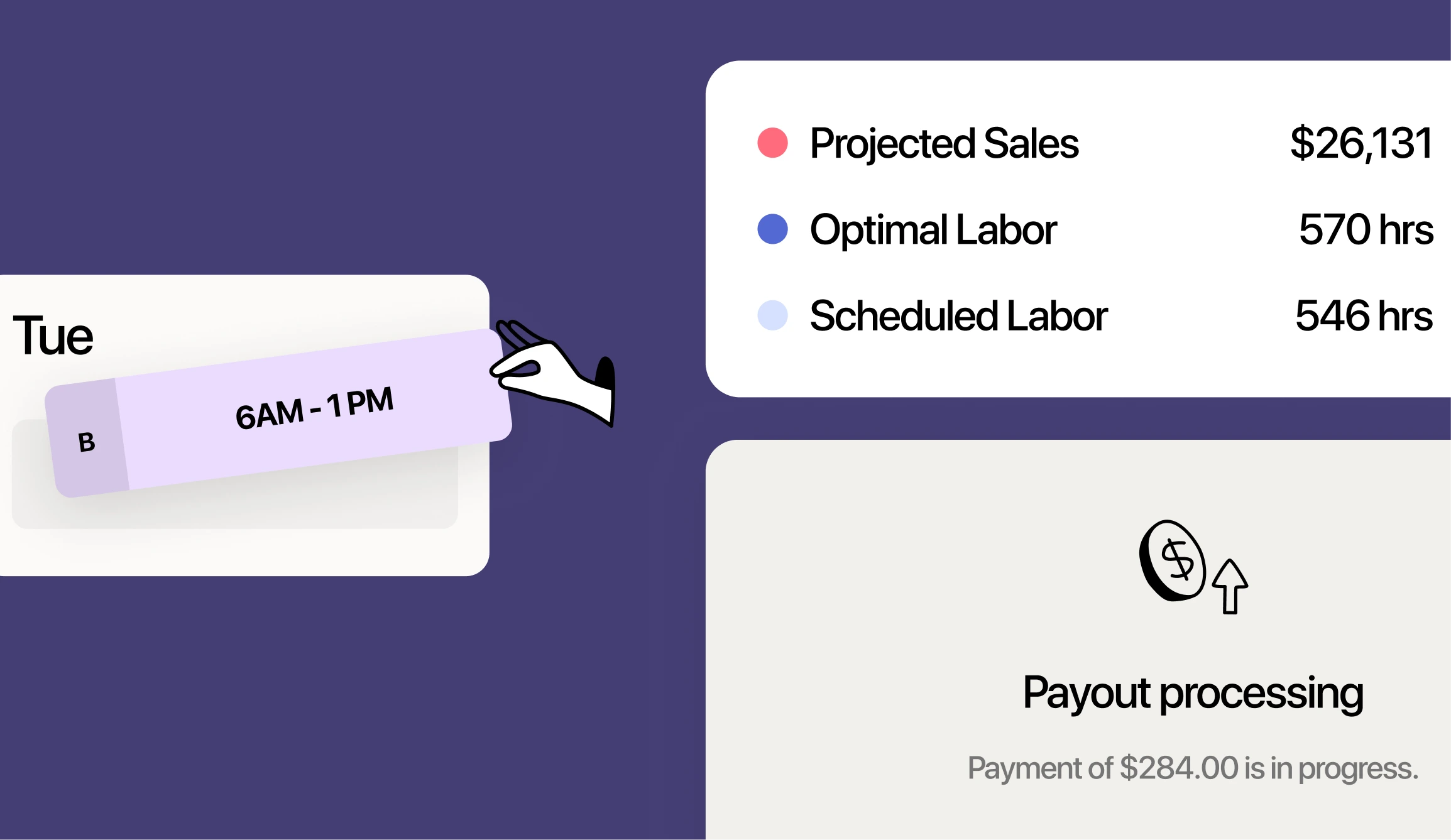
Once sales sync, 7shifts forecasts your demand and shows projected labor cost as you build the schedule. So you catch overstaffing before you post, not after payroll already went out. That’s the difference between guessing and scheduling to the numbers.
The payoff is real. 7shifts sales-based forecasts run up to 95% accuracy, restaurants using 7shifts can cut labor costs up to 3% per location, and managers save about 14 hours a month building schedules online. Multiply those hours and points across your units.
Labor cost percentage is your labor spend divided by sales for the same period. It’s the number that tells you whether a shift made money. Keeping an eye on it matters because labor is one of your biggest controllable costs. According to 2024 restaurant labor data, salaries and wages (including benefits) represented a median of 36.5% of sales in 2024 for full-service restaurants. When you can control your labor cost percentage while you build the schedule, you protect the margin before it’s gone.
Stop unbudgeted labor with schedule enforcement
Schedule enforcement means staff can only clock in when they’re scheduled. Simphony checks the scheduled start time in 7shifts before it allows a punch-in, and anyone who isn’t scheduled needs a manager override on the POS terminal.
For a franchise, that’s a big deal. Quiet early clock-ins are hard to spot one unit at a time, and impossible to police across dozens of stores by hand. Enforcement handles it automatically at every terminal.
The dollars back it up. A federal minimum-wage employee ($7.25 per hour) who clocks in 15 minutes early can add about $435 a year in unbudgeted pay. Across a full crew, enforcement can prevent hundreds of dollars a month per location. That’s money you keep without cutting a single real hour.
2026 Labor Costs Playbook
Increase your bottom line with insights from over 500 restaurant pros—learn the true cost of employee turnover, the best way to manage labor costs, and proven strategies to protect profits.
Handle tips and payroll without re-typing anything
Tips synced from Simphony feed your pay runs directly, so what your team earned is what your team gets paid. No spreadsheet, no manual reconciliation, no late-night math. This is where 7shifts restaurant payroll closes the loop between the register and the paycheck.
Tips flow from Simphony straight into pay
Credit card tips in Simphony are tied to each employee’s time punch. 7shifts pulls those tip values in, distributes them by your tip pooling rules, and includes them in payroll and exports. Tip pooling is simply the practice of collecting tips and splitting them among eligible staff by a set formula.
Because the data comes straight from the punch, there’s nothing to rekey and nothing to reconcile by hand. If you want to see how the distribution side works, you can automate tip management on top of the same synced data.
Get tipped-wage compliance right
A tip credit lets an employer count part of an employee’s tips toward the minimum wage, so the employer pays a lower cash wage directly. According to federal tip credit rules, under the FLSA, an employer must pay a tipped worker at least $2.13 per hour and may claim a maximum tip credit of $5.12 per hour ($7.25 − $2.13 = $5.12).
That’s the federal floor. State and local rules vary, and some require a higher cash wage or no tip credit at all, so check your local requirements before you set rates. 7shifts tracks the hours and rates behind the scenes, so tipped-wage math and dual-rate overtime are handled instead of guessed.
Standardize every unit for franchisor compliance
Within each unit, schedule templates cut the repetitive work — once a location builds its template, managers reuse it week over week instead of starting from scratch each time.
Permissions follow your org chart. A franchisee sees their own units, and corporate sees all of them, so everyone gets the right view without extra logins. New-unit managers learn one system, which means faster onboarding and fewer ways to drift from the model.
That’s the whole point of software built for franchise groups: the standard travels with the template, not with a training binder. From one dashboard, you can manage schedules across locations and see who’s staffed to plan and who isn’t.
Keep employee records in sync across locations
Restaurant turnover means you’re always onboarding and offboarding someone. According to federal turnover data, the accommodation and food services sector posted a monthly total separations rate of roughly 5–6% — among the highest of any tracked private-sector industry. At that pace, manual record-keeping falls behind fast.
Employee Sync keeps up for you. When someone is added in Simphony, it auto-creates a matching 7shifts profile and syncs details like name, phone, employee ID, and role assignments.
Wage Sync does the same for pay rates. It keeps 7shifts hourly wages matched to Simphony rates, so your labor cost math stays honest as people get hired, promoted, or given a raise.
Why 7shifts is the best fit for Oracle Micros Simphony POS franchises
Put it together and you get one platform for scheduling, tips, and payroll, built only for restaurants and tuned for multi-unit control. It’s not a generic tool stretched to fit a restaurant. It was shaped by real operators who live your problems. Here’s what that means for a Simphony franchise:
- Key point: Your Simphony sales build the schedule, so you staff to real demand instead of a gut feel.
- Key point: Tips and hours flow into pay automatically, so payroll matches what your team actually earned.
- Key point: Templates help copy your optimal model in each unit, so every store can save time and money.
Franchise groups already run on it. Synergy Franchising operates Popeyes and Firehouse Subs units on 7shifts, and brands like Toastique and Jamba Juice use it too. These are multi-unit operators who need every store to run the same way, every week.
Kyle Ferbey, COO of Synergy Franchising: “From our personal experience, if you’re evaluating different scheduling businesses or brands to work with, our experience has been really great with 7shifts––from working as a partner, everything on pricing to integrations, listening to us and being open to making change, coming up with new features––it’s been really good. Especially in the QSR and restaurant industry, give them a try because it’s been a great experience for us. Having 600 employees and being really happy with it is a good set of data.
The habit that ties it all together is simple: track labor spend weekly, not monthly. With live Simphony sales feeding your schedule, you can act on the number while the week is still yours to fix.
Frequently asked questions
Does 7shifts integrate with Oracle Micros Simphony?
Yes. 7shifts connects natively to Simphony and syncs sales, time punches, tips, employee profiles, and hourly wages, so your schedule and payroll run on real POS data.
What data syncs between Simphony and 7shifts?
Net sales flow from Simphony into 7shifts in real time (plus up to 90 days of history), along with time punches, credit card tips tied to each punch, employee profiles, and hourly wage rates.
Can I run payroll for all my franchise locations in 7shifts?
Yes. Hours and tips sync from Simphony into 7shifts, so you can run payroll for every location on the same connected data instead of exporting and re-entering numbers store by store.
How long does the Simphony integration take to set up and show forecasts?
You map your roles and employees before turning on the sync features, and your first sales forecasts need about one to two weeks of data to reach full accuracy.
How does 7shifts handle tips from Simphony?
Credit card tips in Simphony are tied to each employee’s time punch, and 7shifts pulls them in, distributes them by your tip pooling rules, and includes them in payroll.
Get started with 7shifts on Micros Simphony
You don’t have to roll this out everywhere at once. Start with one location, connect Simphony, and watch your labor land in real time as you build the schedule. Once you see it work at one unit, copying the setup to the rest is the easy part. Start a free trial and connect your first store today.

Rebecca Hebert, Sales Development Representative
Rebecca Hebert
Sales Development Representative
Rebecca Hebert is a former restaurant industry professional with nearly 20 years of hands-on experience leading teams in fast-paced hospitality environments. Rebecca brings that firsthand knowledge to the tech side of the industry, helping restaurants streamline their operations with purpose-built workforce management solutions. As an active contributor to expansion efforts, she’s passionate about empowering restaurateurs with tools that genuinely support their day-to-day operations.